

Credit Note OCR API


4.8/5
(30+ reviews)
Credit note OCR API that links every credit to its invoice
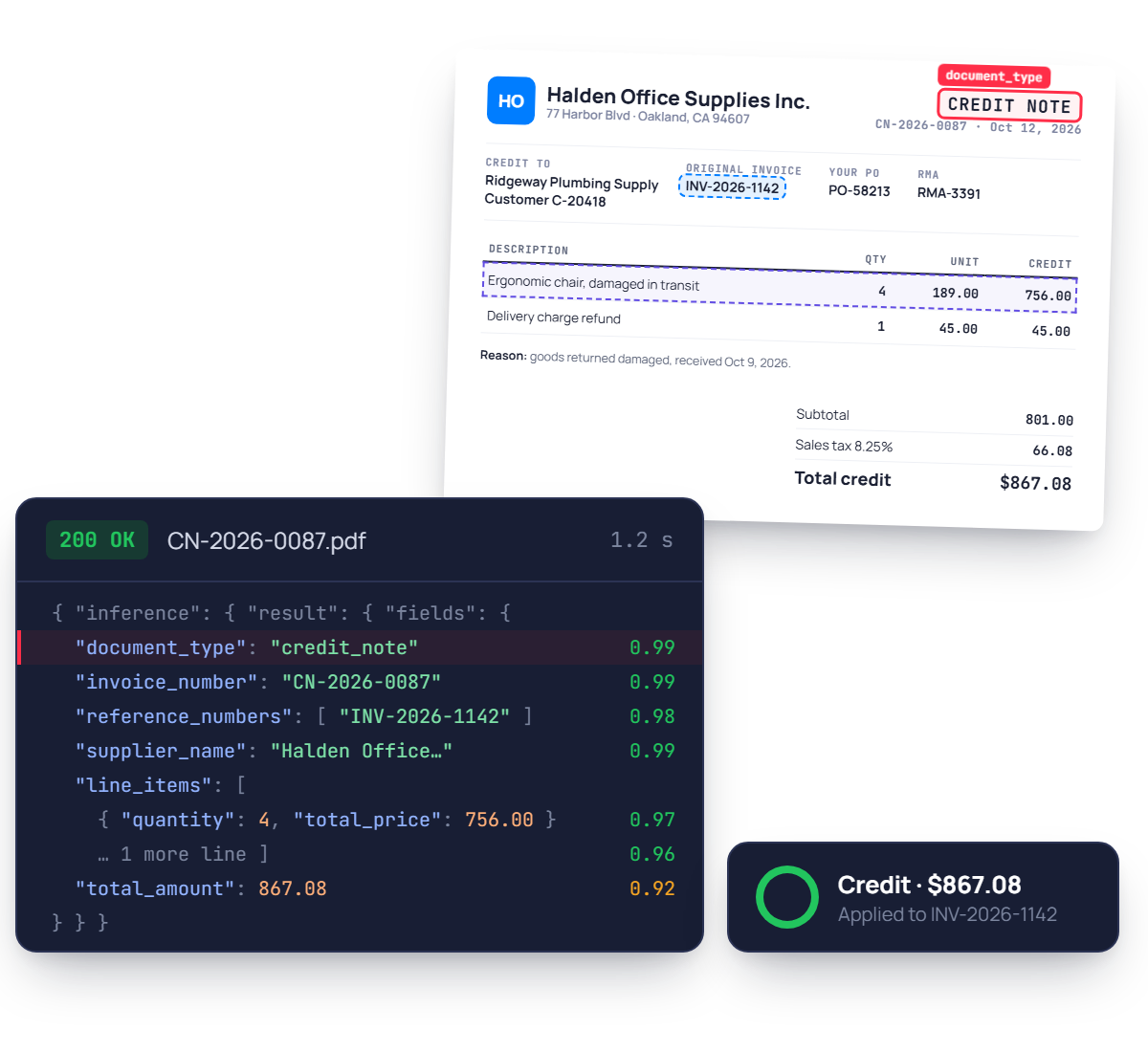
Turn supplier credit notes and credit memos, PDF or scan, into structured JSON. Credit number, original invoice reference, line items, tax and total, each with a confidence score.
No credit card required
SOC 2 Type II & GDPR
Trusted by finance and product teams at




Why supplier credits go unapplied
Credit notes look just like invoices, land in the same inbox and rarely say clearly which invoice they cancel. AP teams spot them, find the original invoice and key every line by hand.
Credit received
Credit note lands in the AP inbox.
Mistaken for a bill
Looks like an invoice, queued to pay.
Friction
Duplicate payments go out the door.
Invoice hunt
Original invoice searched by hand.
Friction
Credits sit unapplied for weeks.
Manual keying
Lines and tax typed in as negatives.
Friction
One sign error skews the ledger.
Credit applied
Finally netted, one credit at a time.
Every credit note field you need, as structured JSON
Hover a group to see where it lands in the response. Every value comes back typed, normalised and located on the page.
See fields list
Credit details
document_type, invoice_number, date
Original invoice
reference_numbers, po_number
Supplier
supplier_name, supplier_address, supplier_company_registration
Customer
customer_name, customer_id, billing_address
Credited lines
line_items[].description, quantity, unit_price, total_price
Totals
total_net, total_tax, total_amount, taxes
{
"document_type": { "value": "credit_note" }, "invoice_number": { "value": "CN-2026-0087" }, "date": { "value": "2026-10-12" },
"reference_numbers": [ { "value": "INV-2026-1142" } ], "po_number": { "value": "PO-58213" },
"supplier_name": { "value": "Halden Office Supplies Inc." }, "supplier_address": { "value": "77 Harbor Blvd, Oakland, CA 94607" },
"customer_name": { "value": "Ridgeway Plumbing Supply" }, "customer_id": { "value": "C-20418" },
"line_items": [ { "description": { "value": "Ergonomic chair, damaged" }, "quantity": { "value": 4 }, "total_price": { "value": 756.00 } }, … ],
"total_net": { "value": 801.00 }, "total_tax": { "value": 66.08 }, "total_amount": { "value": 867.08 },
}
Ready to post, not just to read.
document_type returns credit_note, dates come back in ISO 8601, amounts as numbers, and every field carries a confidence score and its position.
Built for real supplier credits, not samples
Credit memos with negative totals, partial credits on a single line, a reason written in the margin. The model reads each credit as printed and keeps the link to its invoice.

Any supplier, any credit layout
Every supplier formats its credit notes differently. They come back in the same schema as invoices, with no template to build per supplier.
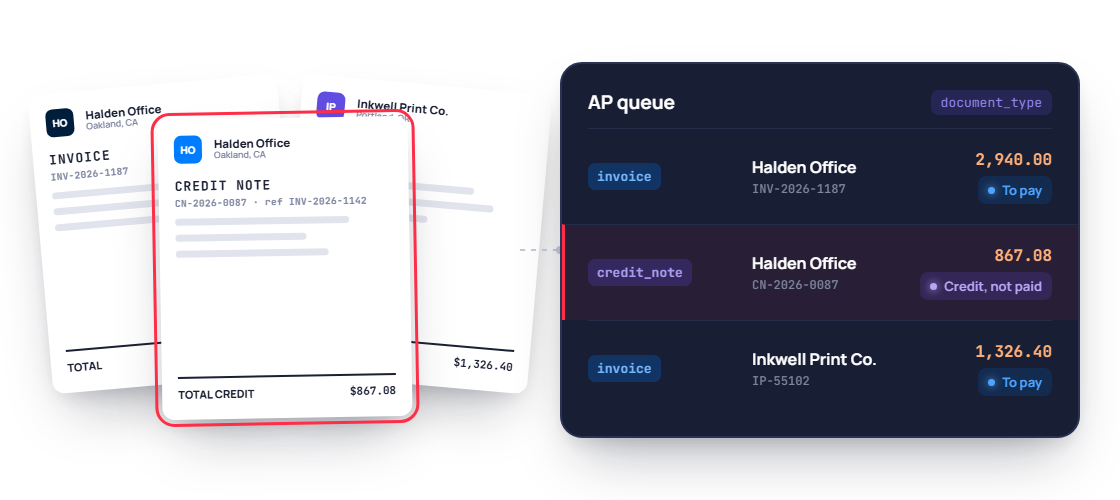
Credits told apart from invoices
document_type returns credit_note, so a credit is never queued for payment as if it were a new invoice from the supplier.

Linked to the original invoice
The original invoice number comes back in reference_numbers, so each credit can be matched and netted against the right invoice.

Mixed supplier PDFs split
Suppliers often send invoices and credit notes in one PDF. Mindee splits the file and returns each document with its own document_type.
PDF / JPEG / PNG / WEBP / TIFF / HEIC, Credit notes & credit memos, Partial & full credits, +50 languages / any currency, Scans & email attachments
Credit note OCR accuracy you can measure, field by field
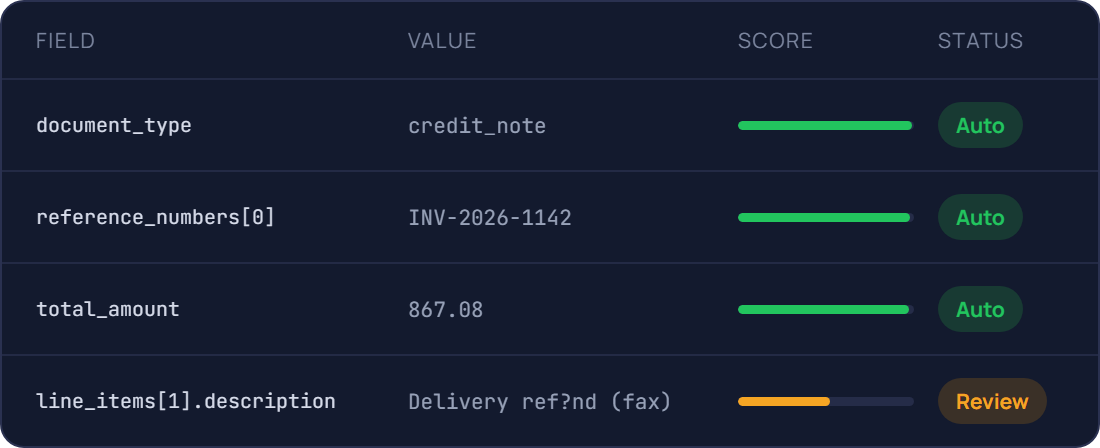
Every field comes with a confidence score, so clean credits are applied automatically and unclear ones go to a reviewer. Test it on your own credit notes in the free trial.
94.6%
Field-level accuracy on header fields
Credit number, supplier, dates
96.5%
Accuracy on line items and totals
Quantity, price, tax
0.7s
Median time per credit note
Single page, synchronous call
A confidence score on every field
Send only real exceptions to a human
Document AI features, better than OCR
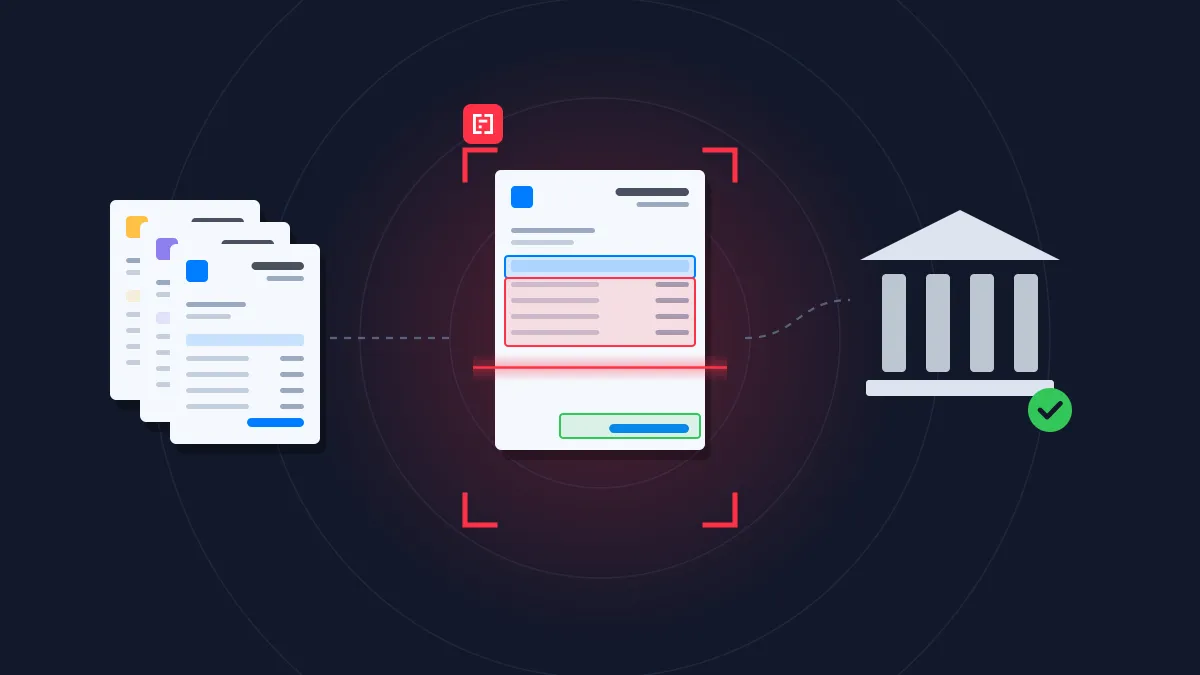
Prepare, classify and extract. Mindee delivers high-accuracy extraction for every document format, so you can automate workflows with speed and high reliability.
Data extractor
Classifier
Splitter
Edge detector
Pull the exact fields you need from any document
Pick a ready-made model or describe your own data schema. Every value comes back typed, normalised, located on the page and scored.
- Prebuilt models or your own custom schema
- Tables and line items, across pages
Know what each document is before you read it
The classifier labels every upload with your own classes, so an ID card goes to onboarding and an invoice goes to accounts payable.
- Your own document classes
- Route each type to the right model
One scanned batch in, separate documents out
Send a long PDF from the office scanner. Mindee finds where each document starts and ends, and returns them one by one.
- Page ranges for every detected document
- Up to 200 pages and 100 MB per file
Several documents on one photo? Each gets its own crop
Users photograph three receipts on a desk, or both sides of an ID. Mindee detects each border, returns its coordinates and reads them separately.
- Coordinates for every detected document
- Built for mobile capture flows
Prototype in minutes, go live with the API
Step 1 : Prototype
Run a proof of concept in Make, Zapier or n8n
No code, no IT ticket. Point a mailbox at Mindee and watch the data arrive in a spreadsheet.
.svg)
Credit note received
AP inbox or supplier portal

Mindee extracts the credit
Reference, lines, totals

Credit applied
Your ERP, AP tool or Sheets

Low-confidence fields sent for review
Slack or email alert to your team
Step 2 : Production
Integrate the API into your platform
Official SDKs, typed responses and webhooks for async processing. Most teams ship the integration in a day.
mindee docs
$ pip install mindee

Your app

Mindee API
Your ERP/CRM
.webp)
Integrate Mindee into your workflow in minutes with SDKs & no-code tools
Go live in minutes using our verified Zapier & Make.com app with zero coding, or integrate seamlessly via our well-documented REST API built for developers. SDKs available for Python, .NET, Node.JS, Java, Ruby, PHP.
Integrations

Enterprise-grade security
Our API has a SOC 2 Type II certified infrastructure and is GDPR Compliant to ensure your file information remains protected at all times.
.svg)
EU or US hosting available
.svg)
GDPR, CCPA Compliant
Learn more
What teams build with credit note OCR
The same API powers very different products. Here is where it usually starts.
Finance & Accounting
Accounts payable
Extract, match and post supplier invoices without manual data entry.

Insurance
Claim management
Read the documents attached to each claim and route the file to the right handler.
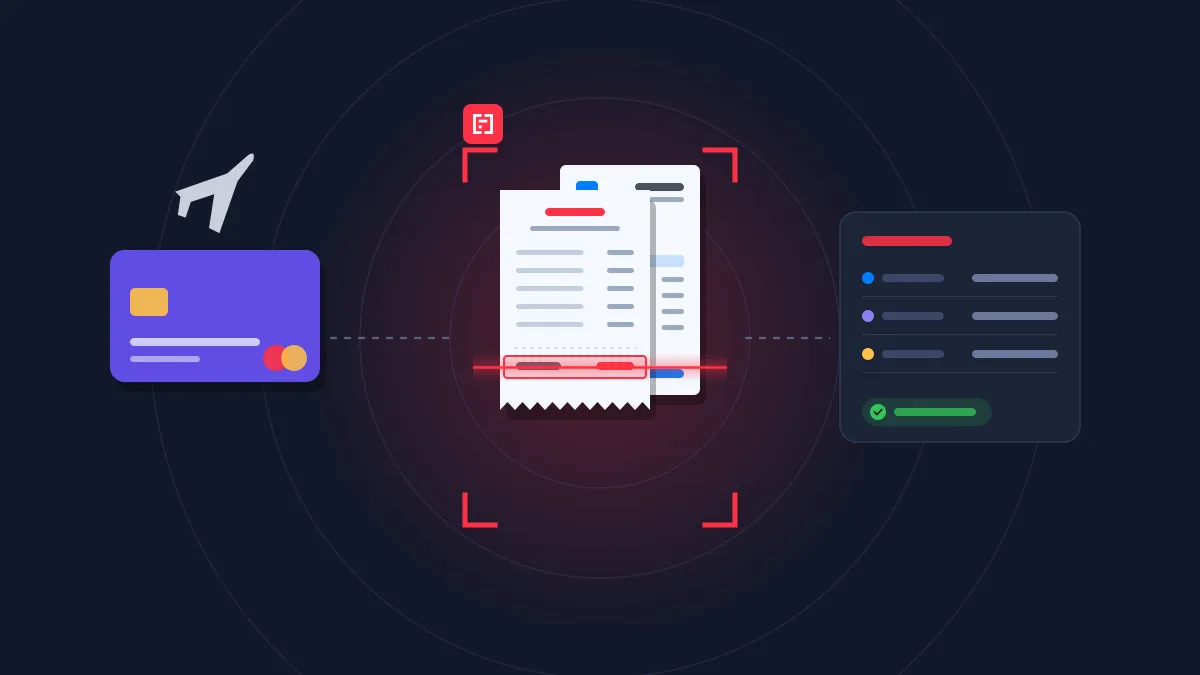
Finance & Accounting
Expense management
Turn receipts and invoices into expense lines, ready to approve and reimburse
Rated 4.8/5 by developers and operations teams
4.8
.svg)
.svg)
on G2
4.9
on Capterra

Mindee is a software that helps us to convert all of our physical business data like bills, invoices, warranty cards, calendar, recipts received to us into a digital documents that can be stored in our drive and can be uploaded in different type of Excel sheets so that all the updates can be maintained and a proper analytics of transactions can be kept by the financial team
Shiv K.
Mindee is a software that helps us to convert all of our physical business data like bills, invoices, warranty cards, calendar, recipts received to us into a digital documents that can be stored in our drive and can be uploaded in different type of Excel sheets so that all the updates can be maintained and a proper analytics of transactions can be kept by the financial team
Shiv K.
Excellent. In addition to their great product, the sales team has always been proactive on how they could help us leverage the maximum results from their product. It was like having an additional product manager on our side

Jeff B.
Mindee works reliably and delivers good performance. The OCR data is accurate, and the API is stable. It works like a charm.
Manuel B.




FAQ about Mindee's Credit Note OCR API
Can't find what you're looking for? Our team answers within one business day.
What is a credit note (or credit memo)?
A credit note, called a credit memo in the US, is a document issued by a seller to reduce or cancel the amount a customer owes on an invoice. It is issued after returned goods, a pricing or billing error, a damaged delivery or a discount granted after invoicing. A credit note usually references the original invoice and shows the amount credited, including the tax adjustment (VAT, GST or sales tax). Mindee extracts the supplier and customer details, the credit note number and date, the referenced invoice number, the line items and the credited amounts, and returns them as structured JSON.
What’s the difference between a credit note and a debit note?
A credit note reduces the amount owed: the seller issues it to the buyer, for example after a return or an overcharge. A debit note works the other way. It is typically issued by the buyer to request a credit from the seller, for example after returning goods, or in some cases by the seller to increase the amount due after an undercharge. For example, if a customer returns $500 of goods, the buyer may send a debit note to the supplier, who then issues a $500 credit note. Mindee identifies the type of document and extracts its amounts, so each document is recorded correctly in your accounts.
Can Mindee tell a credit note apart from an invoice?
Yes. Credit notes often look very similar to invoices, with the same supplier, layout and logo, and the difference sometimes comes down to a title or a minus sign. If an AP workflow mistakes a credit note for an invoice, the supplier ends up being paid instead of being credited. Mindee automatically identifies credit notes, even when they arrive in the same email inbox or file as invoices, and returns the amounts with the correct sign. Your AP team can then route them to the right workflow and record them correctly.
How do you match a credit note with the original invoice?
Most credit notes reference the invoice they correct, usually by its invoice number. Mindee extracts this reference along with the supplier, amounts and line items, so you can automatically find the original invoice in your ERP or accounting software, such as QuickBooks, Xero or Sage, and apply the credit to it. If the invoice is still unpaid, you pay only the net amount. If it has already been paid, the credit is deducted from the next payment or recorded as a refund to request. Credit notes that don’t reference an invoice, or reference one that can’t be found, are flagged for review instead of being forgotten.
About Mindee
Is my data secured and protected during the conversion process?
Yes, your data is highly secured and protected during the entire conversion process. As an enterprise-grade OCR solution, Mindee takes data privacy very seriously. Here are the key security measures in place:
- Certified compliance: Mindee's infrastructure is SOC 2 Type II certified and fully GDPR compliant, ensuring strict industry standards for data protection.
- Encryption: All documents and extracted data are fully encrypted both in transit (during the API call) and at rest.
- Data localization: You have control over where your data is processed, with the option to host and process your data on either EU or US servers.
- Strict privacy: Mindee respects data confidentiality. Your processed documents are not shared with third parties, and your private data is not used to train global AI models.
In short, your sensitive documents are processed in a secure, isolated environment and remain completely under your control.
Is Mindee's OCR API free to use?
We provide a 14 days free trial so you can fully test any of our OCR models — no credit card required. After this, we offer different pricing tiers depending of the volume of pages processed and the features you might need. See the pricing page for more information.
What file formats are supported for JSON conversion?
The supported document formats are:
- PDF (
application/pdf) – While technically a document format rather than an image, it is natively supported for all extraction models. - JPEG / JPG (
image/jpeg) - PNG (
image/png) – Must be non-animated. - WebP (
image/webp) - TIFF / TIF (
image/tiff) – Both single-page and multi-page TIFFs are supported and processed similarly to PDFs. - HEIC (
image/heic) – Apple's High-Efficiency Image Container format.
📌 Important technical limitations to keep in mind:
To ensure the OCR pipeline runs smoothly and successfully returns your JSON, make sure your files adhere to the following constraints:
- Maximum file size: 100 MB per file.
- Maximum page count: Up to 200 pages per document.
- File state: The files cannot be encrypted, and PDFs must not be password-protected.
Ready to stop keying credit notes?
Send your first credit note to the API in minutes, with a full team of engineers dedicated to document processing behind it.
14-day free trial
No credit card required