

document ai


4.8/5 (30+ reviews)
Add receipt and invoice capture your users won't skip
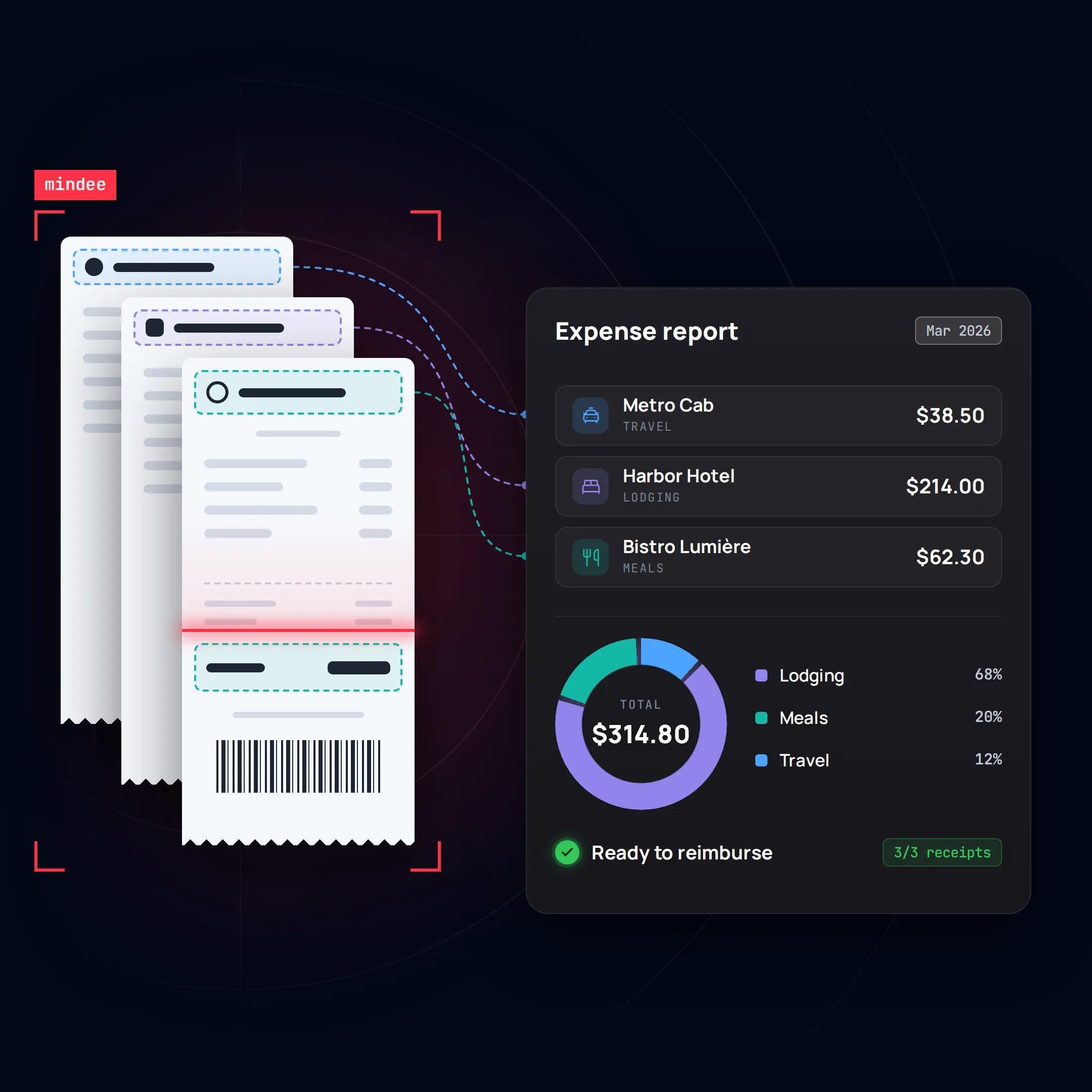
Extract merchant, date, amounts and VAT from receipts, invoices and travel bills in real time. One API to power expense, corporate card and payroll products, from photo to pre-filled expense line.
14-day free trial
No credit card required
Trusted by top-tier teams worldwide






Every field typed by hand is a reason to drop your app
A faded receipt, a VAT rate entered wrong, an amount that doesn’t match the card transaction: each one becomes a rejected expense, a support ticket or a user who stops submitting.

1
Expense
Your user pays with a company card or out of pocket
2
Upload documents
Friction
Merchant, date, VAT and amounts typed in from each receipt, often at month end.
3
Manual review
Friction
Your clients’ finance teams check every line by hand before approving.
4
Mismatch
Cross-checks
Friction
Receipt ≠ card transaction, or no receipt at all. The expense goes back to the user.
5
Reimbursed
Weeks later, if the user hasn’t given up
Every document your users submit, read in one flow
Mindee recognises each document automatically and extracts the fields you need, ready to be checked against each other.

Auto-classify documents

Receipt
- Merchant name
- Date
- Total amount
- Taxes (rate, amount)
- Category
- Subcategory
- Merchant address
- Merchant phone
- Merchant VAT / registration number
- Receipt number
- Time
- Line items
- Total net
- Total tax
- Tip
- Currency
- Country
- Language

Invoice
- Invoice number
- Invoice date
- Due date
- Supplier name
- Supplier address
- Supplier VAT number
- Supplier company registration
- Supplier IBAN
- Customer name
- Customer address
- Customer VAT number
- PO & reference numbers
- Line items
- Total net
- Taxes (rate, base, amount)
- Total tax
- Total amount
- Currency
- Payment terms
- Document type (invoice / credit note)
From upload to a checked document process, in five steps
The flow your product can run on every receipt: classify it, extract it, match it to the card transaction, check it against the company’s policy, then pre-approve it or send it to review.

Collect
Receipt snapped in your app or forwarded by email

Mindee Classify
Receipt, invoice, travel bill

Mindee Extract
Merchant, date, amounts, VAT rates…
VERIFY
{Your business rules to check}
Cross-check

Valid data is automated
Expense line pre-filled, ready to reimburse or export to payroll

Exceptions to human
Flag for human review
usual tools for this


... and similar ones!
Prototype in minutes, go live with the API
Test the full document flow with a no-code scenario first. When the results convince your team, plug the same models into your platform.
Step 1 : Prototype
Run a proof of concept in Make
No code, no IT ticket. Send files and see Mindee read them.

Google Drive folder
Drop a batch of your own receipts

Mindee Classify & Extract
Receipt or invoice, merchant, date, amounts, VAT rates

Google Sheets
One row per document, with card match and policy flags

Accuracy summary
Field-level accuracy measured on your own documents
Step 2 : Production
Integrate the API into your platform/workflow
Same models, same results connected to your whole system in a few days.
mindee docs
$ pip install mindee

Your data sources

Mindee API
Your core system
What changes for each team
Engineering, finance and product don't look for the same thing in document-based projects. Here is what each of them gets.

3 teams · 1 platform
Technical
· CTOs, Lead devs
A fast, documented API, live in days, with no extra tech debt

Robust infrastructure and features that scale.
Low effort : up-to-date docs and SDKs
No production surprises : continuous monitoring and drift protection
finance & ops
· CEOs, CFOs, COOs
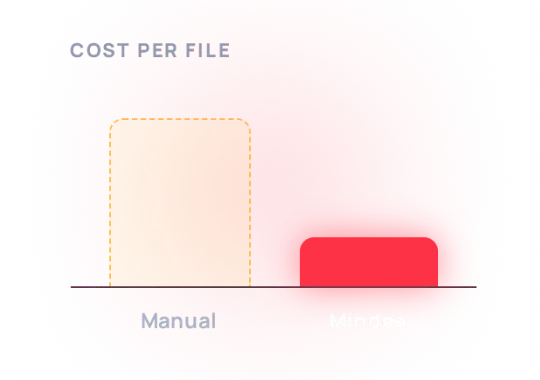
Ship receipt capture as a feature, not a project, with a predictable cost per document
Lower costs, stronger compliance, better margin
Change management eased by no-code templates
Data protected : SOC 2 Type II infrastructure, GDPR compliant
product
· CEOs, Product managers
Make receipt capture the feature users love in your app
- Fields pre-filled seconds after the photo
- Several receipts on one scan, separated automatically
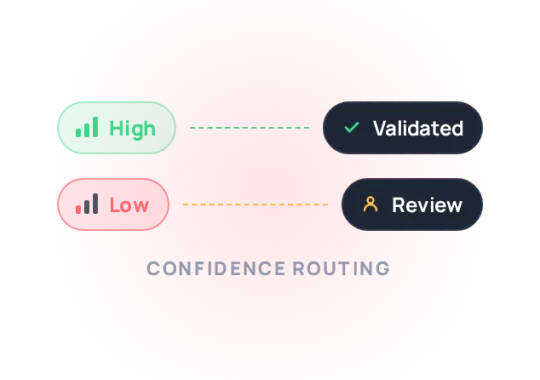
- Doubtful cases routed to review, never a dead end
Results measured by customers
Expense, payroll and spend platforms use Mindee to pre-fill expense lines from a photo. Here’s what changed for PayFit: less manual checking for their clients, higher adoption of the expense module, and a fast path from first test to production.

-80
%
less time spent on document checks
TIME PER FILE - Before/After Mindee
20
k
documents processed every month
Volume - last 6 months
2 weeks
from first API call to production

Test - integrate - live

By removing friction from expense submission, PayFit improved employee satisfaction and HR adoption of the expense module, contributing to lower churn and stronger product stickiness.

Full customer story

Integrate Mindee into your workflow in minutes with SDKs & no-code tools
Go live in minutes using our verified Zapier & Make.com app with zero coding, or integrate seamlessly via our well-documented REST API built for developers. SDKs available for Python, .NET, Node.JS, Java, Ruby, PHP.
Integrations

Enterprise-grade security
Our API has a SOC 2 Type II certified infrastructure and is GDPR Compliant to ensure your file information remains protected at all times.

EU or US hosting available

GDPR, CCPA Compliant
Security center
FAQ about this use case
Can't find what you're looking for? Our team answers within one business day.
About Mindee
What is expense management?
Expense management is the process a company uses to track, approve and reimburse the money employees spend on its behalf, such as travel, meals, fuel or supplies, and to record these costs in its accounts. It covers capturing receipts, creating expense reports, checking them against the company’s spending policy, approving them, reimbursing employees or reconciling card transactions, and exporting the data to accounting. Receipt capture is often the most time-consuming step for employees. Mindee extracts the data from each receipt or invoice in seconds, so the rest of the process can run automatically.
How do you automate expense report creation?
Employees take a photo of their receipt, or forward an e-receipt or invoice, as soon as they make a purchase. Mindee extracts the merchant, date, total, tax and category, and the expense line is created automatically. If the expense was paid with a company card, it can be matched with the card transaction using the amount, date and merchant. Policy checks then run automatically, such as meal limits or missing receipts, before the report is sent for approval and exported to accounting. Employees no longer have to fill in a monthly report by hand, and the finance team receives complete, consistent data.
Do you need to keep paper receipts, or are digital copies enough?
In many countries, including the US, tax authorities accept digital copies of receipts, provided they are clear, complete and stored reliably for the required retention period, which is usually several years. Specific rules vary by country, so check them for each jurisdiction where you operate. A card or bank statement alone is often not enough, because it shows the amount and merchant but not what was purchased or the tax paid. Mindee extracts all these details from the receipt image, so you keep a structured, searchable record alongside each digital copy.
How can companies prevent expense fraud?
The most common types of expense fraud are submitting the same receipt twice or under two employees’ names, inflating or editing amounts, claiming personal purchases as business expenses, and submitting expenses already paid with a company card. Because Mindee extracts the merchant, date, time, amount and receipt number of every receipt, you can automatically detect duplicates across all employees, compare each receipt with the card transaction, and flag expenses on weekends, outside business trips or above policy limits. Finance teams can then focus their reviews on the few expenses that need attention, rather than checking every receipt.



Ready to ship receipt capture your users actually use?
Test Mindee on a batch of your own receipts in minutes, then plug the same models into your product.
SOC 2 Type II & RGPD
No credit card required