

Resume Parser API


4.8/5
(30+ reviews)
Resume parser API that turns any CV into a clean profile
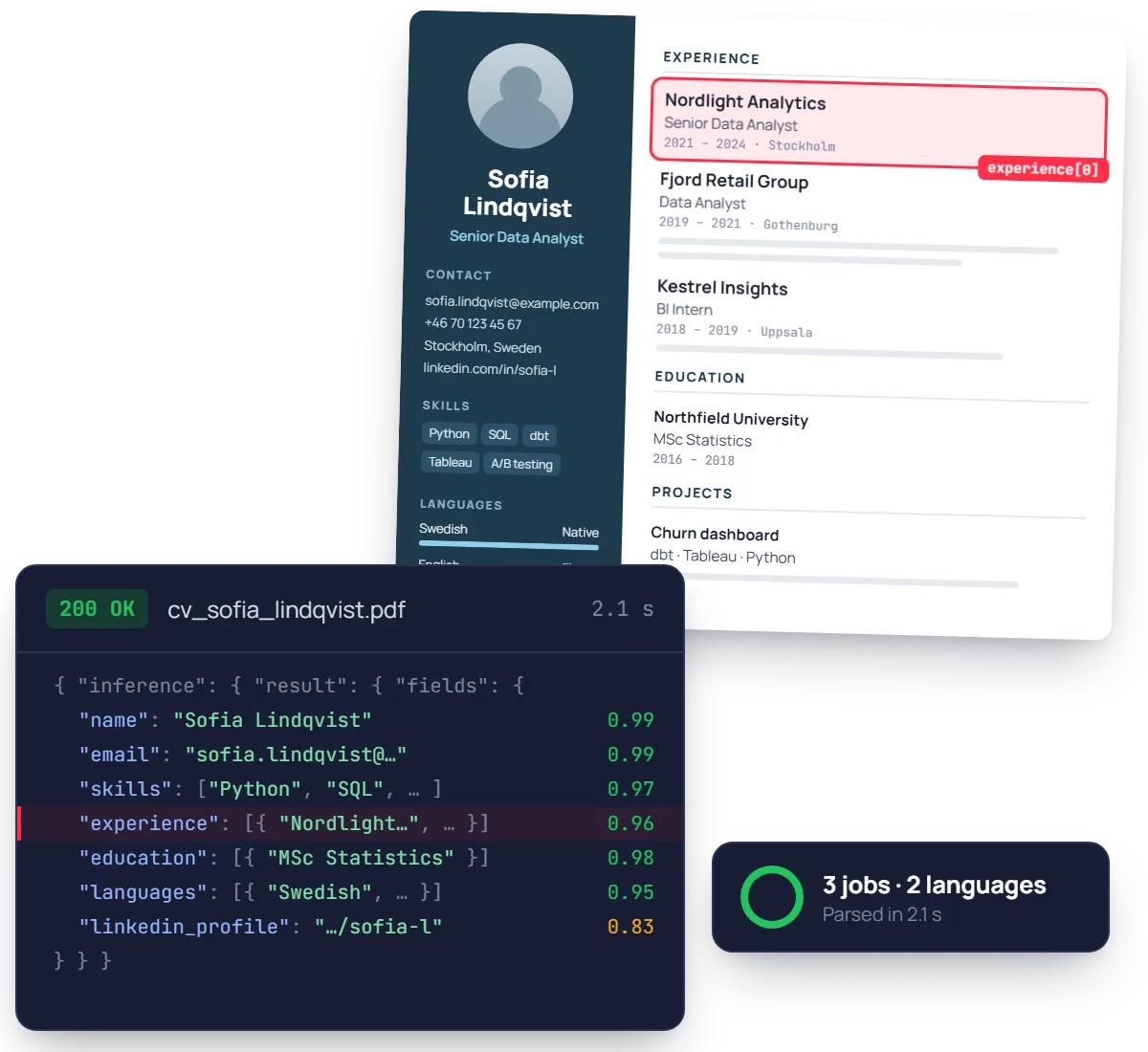
Turn PDF resumes, scans and phone photos into structured JSON in seconds. Contact details, work experience, education, skills and languages, each with a confidence score. No templates, no rules to maintain.
No credit card required
SOC 2 Type II & GDPR
Trusted by finance and product teams at




Why resumes are so hard to parse
No two CVs look alike: two columns, icons, tables, creative layouts. Keyword-based parsers mix up dates and job titles, so recruiters end up retyping profiles into the ATS and fixing what was missed.
Application received
CV sent as PDF, scan or phone photo.
Manual entry
Contact, experience and education retyped into the ATS.
Friction
Two-column layouts scramble dates and job titles.
Screening
Recruiters read every profile to find the right skills.
Friction
Missing fields make good profiles look incomplete.
Shortlist
Profiles compared against the job requirements.
Friction
The backlog grows while candidates wait for news.
Interview booked
Finally contacted, after the best ones took other offers.
Every resume section, returned as structured JSON
Hover a group to see where it sits in the JSON response. Experience, education and languages come back as arrays, one object per entry.
See fields list
Contact
name, email, phone_number, address, linkedin_profile
Summary & skills
summary_objective, skills
Experience
company_name, job_title, dates_employed, responsibilities
Education
school_name, degree, dates_attended, gpa
Languages
language, proficiency
Projects & awards
project, technos_used, awards_certifications
{
"name": { "value": "Sofia Lindqvist" }, "email": { "value": "sofia.lindqvist@example.com" },
"skills": ["Python", "SQL", "Product analytics"],
"experience": [ { "company_name": "Nordlight Analytics", "job_title": "Data Analyst", "dates_employed": "2021 – 2024" }, … 2 more ],
"education": [ { "school_name": "Northfield University", "degree": "MSc Statistics", "dates_attended": "2018 – 2020" } ],
"languages": [{ "language": "English", "proficiency": "Fluent" }],
"projects": [{ "project": "Churn dashboard", "technos_used": "dbt" }],
}
Ready to post, not just to read.
Experience, education, languages, projects and certifications come back as arrays. Every field carries a confidence score and its position on the page.
Built for real CVs, not ATS-friendly templates
Two-column designs, skill bars, icons instead of headings, a photo in the corner and a second page that starts mid-sentence. The model reads resumes as candidates send them.
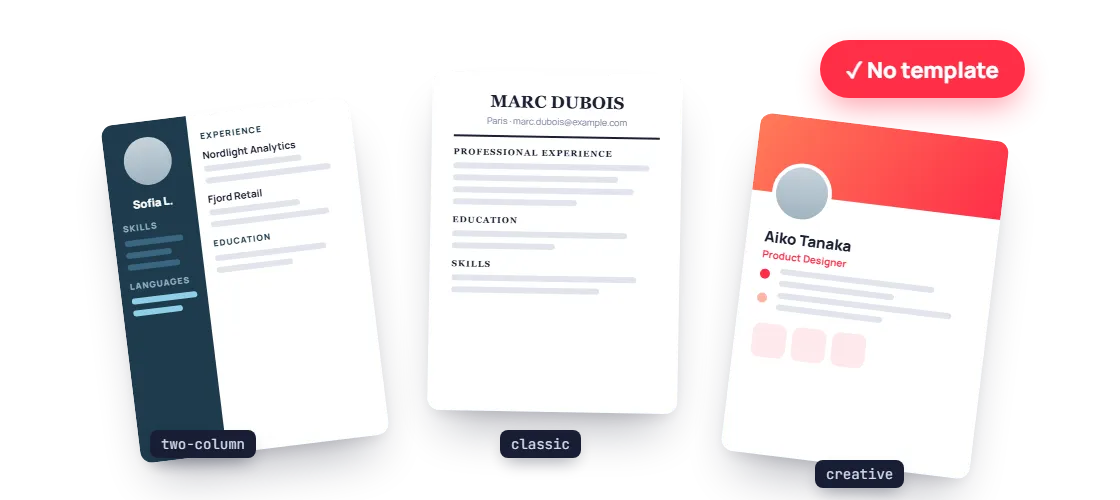
Any layout, columns included
Two columns, sidebars, icons instead of headings: each date and job title still lands in the right experience entry.
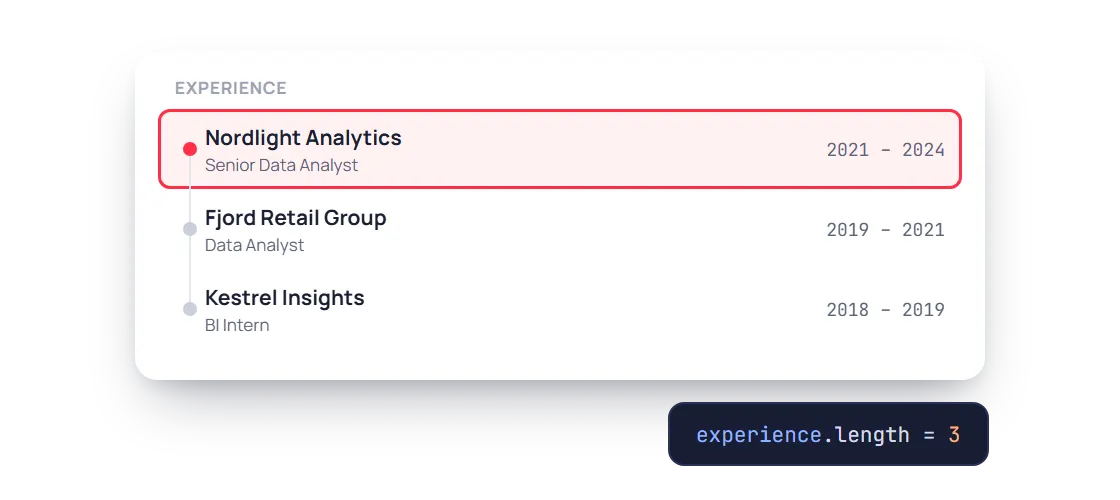
Every job, as its own entry
Experience comes back as an array with company, job title, dates and responsibilities, one object per role.
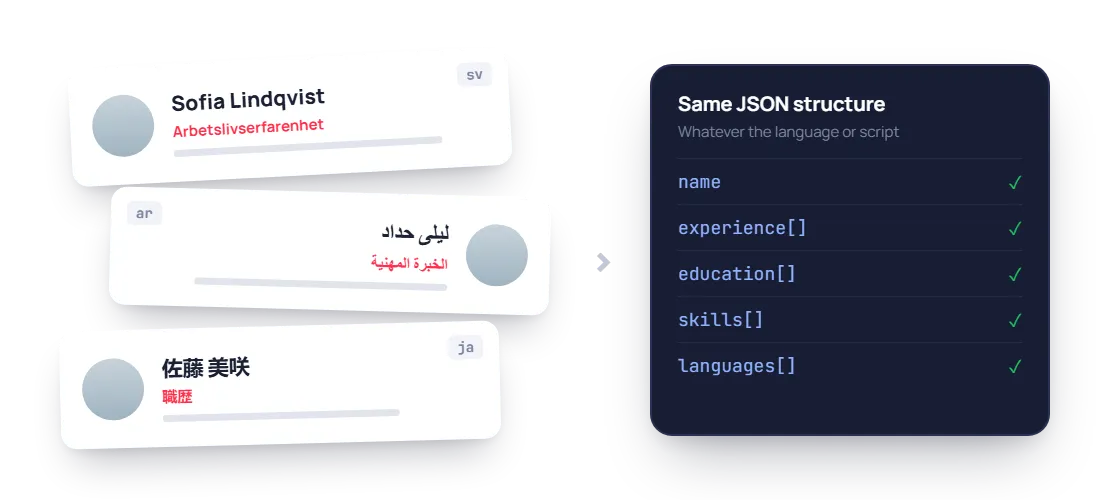
Any language, same structure
A resume written in Swedish, Arabic or Japanese comes back in the same JSON shape, ready for the same ATS fields.
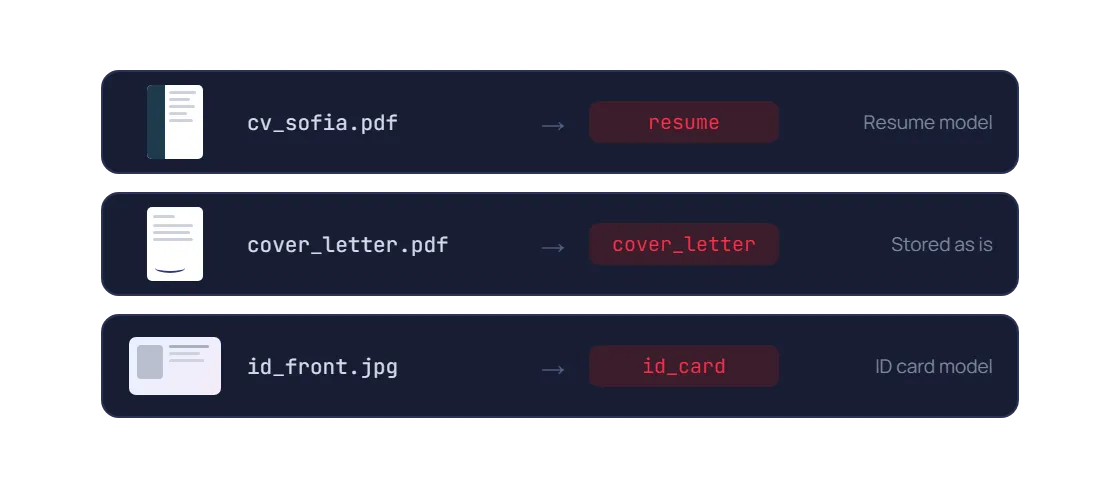
Resume, cover letter or ID, sorted
Application packs are classified first, so the resume goes to the resume model and every other document to the right place.
PDF / JPEG / PNG / WEBP / TIFF / HEIC, Multi-page resumes, Any language / any script, Two-column & creative layouts, Scans & phone photos
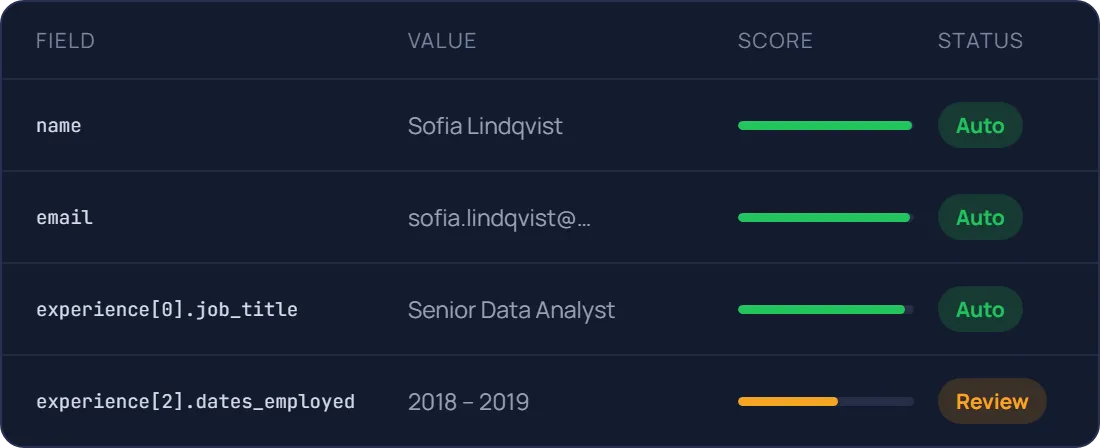
Resume parsing accuracy, scored on every entry
Each value carries a confidence score, so clean profiles go straight to your ATS and doubtful entries go to a recruiter. Test it on your own CVs during the free trial.
93.6%
Field-level accuracy on contact fields
Name, email, phone, LinkedIn
91%
Accuracy on work experience
Company, job title, dates
1.2s
Median time per resume
Two-page PDF, synchronous call
A confidence score on every field
Send only real exceptions to a human
Document AI features, better than OCR
Prepare, classify and extract. Mindee delivers high-accuracy extraction for every document format, so you can automate workflows with speed and high reliability.
Data extractor
Classifier
Splitter
Edge detector
Pull the exact fields you need from any document
Pick a ready-made model or describe your own data schema. Every value comes back typed, normalised, located on the page and scored.
- Prebuilt models or your own custom schema
- Tables and line items, across pages
Know what each document is before you read it
The classifier labels every upload with your own classes, so an ID card goes to onboarding and an invoice goes to accounts payable.
- Your own document classes
- Route each type to the right model
One scanned batch in, separate documents out
Send a long PDF from the office scanner. Mindee finds where each document starts and ends, and returns them one by one.
- Page ranges for every detected document
- Up to 200 pages and 100 MB per file
Several documents on one photo? Each gets its own crop
Users photograph three receipts on a desk, or both sides of an ID. Mindee detects each border, returns its coordinates and reads them separately.
- Coordinates for every detected document
- Built for mobile capture flows
Prototype in minutes, go live with the API
Step 1 : Prototype
Run a proof of concept in Make, Zapier or n8n
No code, no IT ticket. Point a mailbox at Mindee and watch the data arrive in a spreadsheet.

Application received
From your careers page or job board

Mindee parses the resume
Contact, experience, education, skills

Candidate created in your ATS
Teamtailor, Greenhouse, Workable…

Low-confidence fields sent for review
Slack or email alert to your team
Step 2 : Production
Integrate the API into your platform
Official SDKs, typed responses and webhooks for async processing. Most teams ship the integration in a day.
mindee docs
$ pip install mindee

Your app

Mindee API
Your ERP/CRM

Integrate Mindee into your workflow in minutes with SDKs & no-code tools
Go live in minutes using our verified Zapier & Make.com app with zero coding, or integrate seamlessly via our well-documented REST API built for developers. SDKs available for Python, .NET, Node.JS, Java, Ruby, PHP.
Integrations

Enterprise-grade security
Our API has a SOC 2 Type II certified infrastructure and is GDPR Compliant to ensure your file information remains protected at all times.

EU or US hosting available

GDPR, CCPA Compliant
Security center
What teams build with resume parsing
The same API powers very different products. Here is where it usually starts.
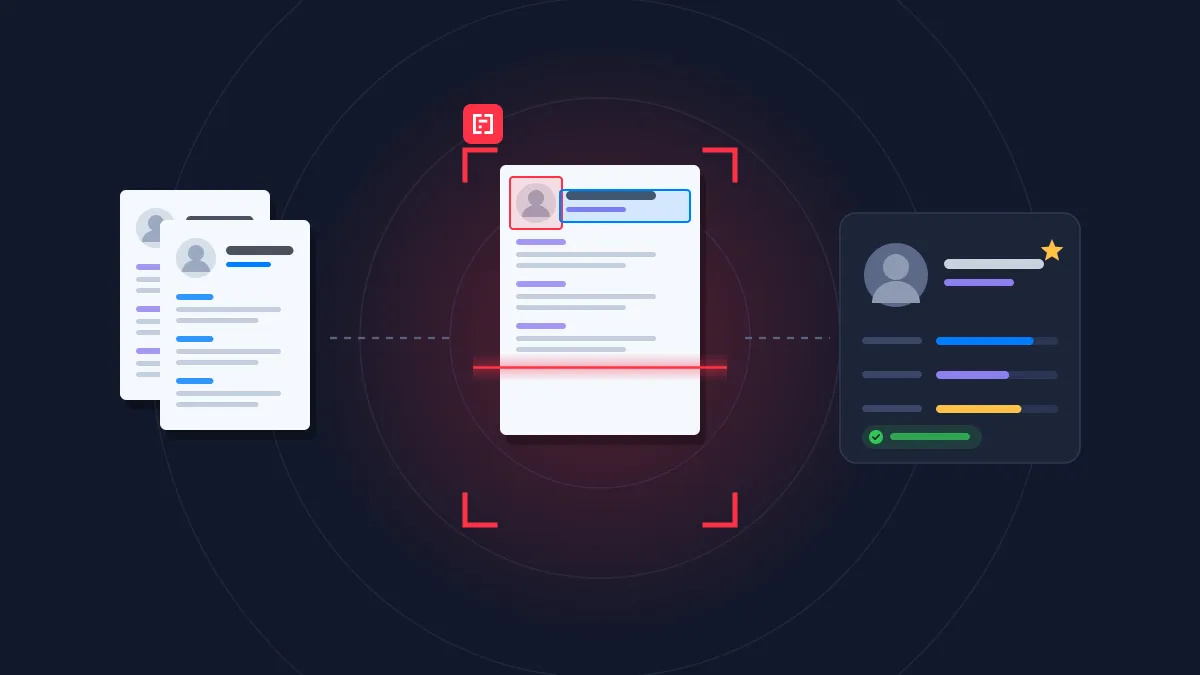
HR
Candidate application
Turn resumes and hiring documents into structured candidate profiles, from application to first day.
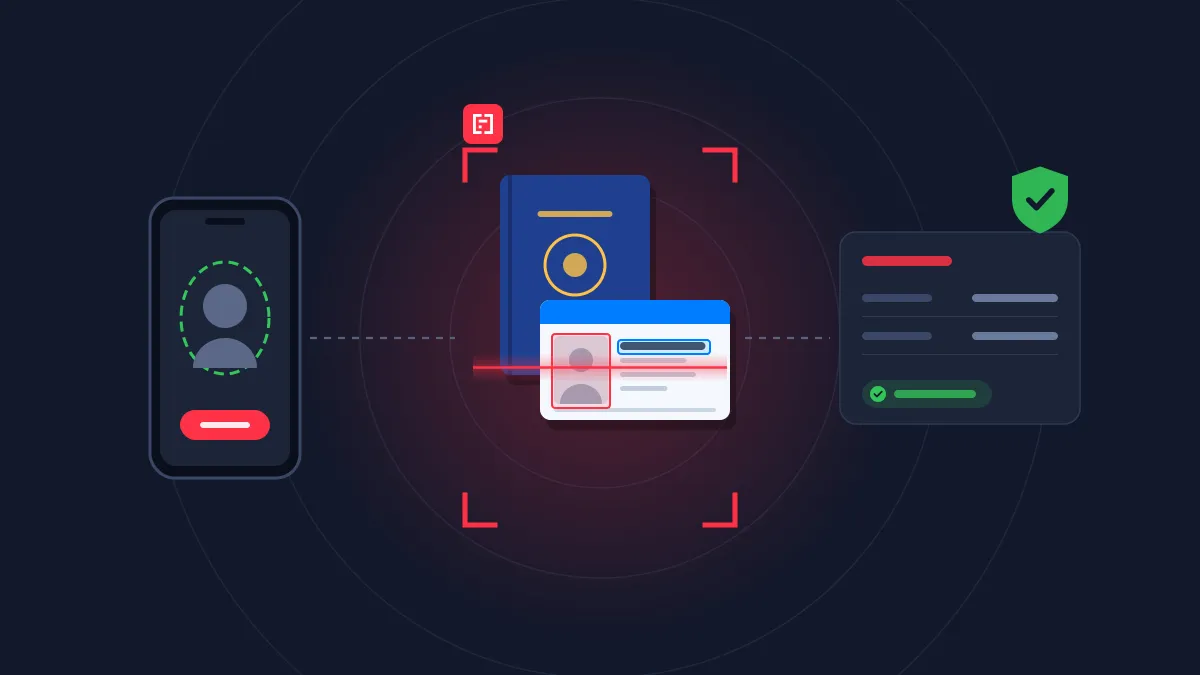
Banking & lending
Insurance
Customer onboarding
Read and cross-check every onboarding document, from ID to bank details, in real time.
Banking & lending
Real estate
Loan requests
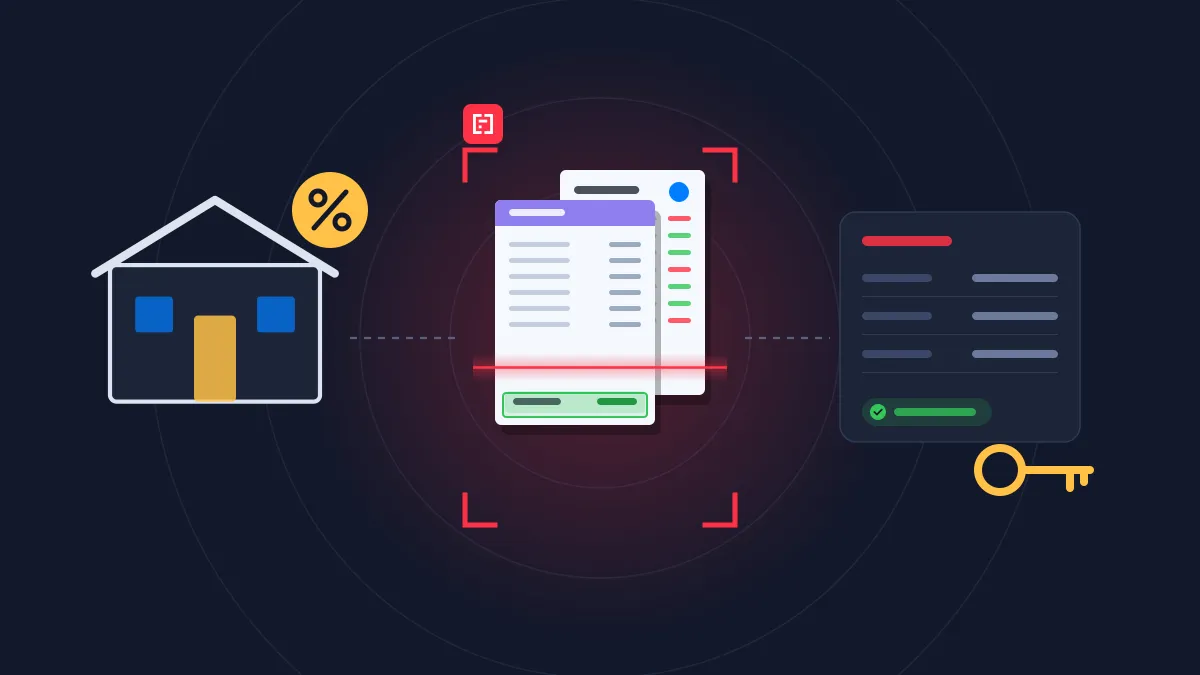
Turn payslips, bank statements and tax returns into decision-ready data for underwriting.
Rated 4.8/5 by developers and HR tech teams
4.8


on G2
4.9
on Capterra

Mindee is a web based tool that help us in scanning and reading different type of documents like identity cards, invoices, proposal plans etc and extract all the information with its AI and then it provides all the information and data associated with these documents a structured way.
Gaurav K.
Mindee is a web based tool that help us in scanning and reading different type of documents like identity cards, invoices, proposal plans etc and extract all the information with its AI and then it provides all the information and data associated with these documents a structured way.
Gaurav K.
Mindee works reliably and delivers good performance. The OCR data is accurate, and the API is stable. It works like a charm.

Manuel B.
I like the easiness and how to use it. Also the price model is very fair. Good with space for improvement
Simon



FAQ about Mindee's Resume Parser API
Can't find what you're looking for? Our team answers within one business day.
What is resume parsing and how does it work?
Resume parsing is the automatic extraction of information from a CV into structured data that software can search and use. Mindee reads the resume file (PDF, Word or image), identifies each section regardless of the layout, and returns JSON with the candidate’s contact details, job titles, work experience (company, role, dates), education, skills, languages and certifications. This data can then pre-fill candidate profiles, power search and matching in an ATS, or remove manual copy-pasting from recruiters’ workflows.
Can Mindee parse creative, multi-column or non-English resumes?
Yes. Traditional parsers rely on keywords and rigid templates, so they often break on two-column layouts, tables, sidebars or designer CVs. Mindee uses AI models that understand the visual structure of the document, so they correctly link each job title to its company and dates, even when the information is spread across columns. They also handle resumes in many languages and scanned or photographed CVs. Candidates don’t need to “optimize” their resume for a parser, and recruiters don’t lose information from well-designed CVs.
How do I add resume parsing to my ATS or HR software?
You don’t need to build and maintain your own parser. With Mindee, you send the resume file to the API using one of the SDKs (Python, Node.js, Java, .NET…) and get structured JSON back in seconds, ready to map to your candidate database fields. Building an in-house parser usually takes months of work on edge cases (layouts, languages, date formats), and it keeps requiring maintenance. With an API, it takes a few days of integration. For quick tests or internal recruiting workflows, you can also connect Mindee to your tools without code through Zapier, Make or n8n.
Does Mindee rank or score candidates?
No. Mindee extracts and structures the information in a resume, but it doesn’t evaluate, rank or filter candidates. Hiring decisions remain with your team and your own matching logic. This matters because AI systems used to screen or rank applicants face strict rules, notably under the EU AI Act, and resumes contain personal data covered by GDPR. Mindee is SOC 2 Type II certified and GDPR compliant, and unlike a general-purpose chatbot, it returns the same structured output every time, without “interpreting” a candidate’s profile.
About Mindee
Is my data secured and protected during the conversion process?
Yes, your data is highly secured and protected during the entire conversion process. As an enterprise-grade OCR solution, Mindee takes data privacy very seriously. Here are the key security measures in place:
- Certified compliance: Mindee's infrastructure is SOC 2 Type II certified and fully GDPR compliant, ensuring strict industry standards for data protection.
- Encryption: All documents and extracted data are fully encrypted both in transit (during the API call) and at rest.
- Data localization: You have control over where your data is processed, with the option to host and process your data on either EU or US servers.
- Strict privacy: Mindee respects data confidentiality. Your processed documents are not shared with third parties, and your private data is not used to train global AI models.
In short, your sensitive documents are processed in a secure, isolated environment and remain completely under your control.
Is Mindee's OCR API free to use?
We provide a 14 days free trial so you can fully test any of our OCR models — no credit card required. After this, we offer different pricing tiers depending of the volume of pages processed and the features you might need. See the pricing page for more information.
What file formats are supported for JSON conversion?
The supported document formats are:
- PDF (
application/pdf) – While technically a document format rather than an image, it is natively supported for all extraction models. - JPEG / JPG (
image/jpeg) - PNG (
image/png) – Must be non-animated. - WebP (
image/webp) - TIFF / TIF (
image/tiff) – Both single-page and multi-page TIFFs are supported and processed similarly to PDFs. - HEIC (
image/heic) – Apple's High-Efficiency Image Container format.
📌 Important technical limitations to keep in mind:
To ensure the OCR pipeline runs smoothly and successfully returns your JSON, make sure your files adhere to the following constraints:
- Maximum file size: 100 MB per file.
- Maximum page count: Up to 200 pages per document.
- File state: The files cannot be encrypted, and PDFs must not be password-protected.
Ready to stop retyping resumes into your ATS?
Plug the resume parser API into your ATS or job board in minutes, with a team of document processing engineers behind it.
14-day free trial
No credit card required