

document ai


4.8/5 (30+ reviews)
From resume to first day: every candidate document, read automatically
Parse resumes and extract IDs, passports, work permits and bank details in real time. One API for ATS and HR software vendors, job boards, staffing agencies and high-volume employers to power one-click apply, check right to work and onboard new hires without manual data entry.
14-day free trial
No credit card required
Trusted by top-tier teams worldwide






Every application retyped by hand is a candidate you might lose
Two-column resumes, PDFs exported from design tools, phone photos of IDs and permits. Recruiters copy names, experience and skills into the ATS, then chase the same candidates again for their admin documents before the first day. Meanwhile, the best profiles accept another offer.

1
Apply
The candidate applies, often from a phone
2
Upload documents
Friction
Resumes in every format and layout: key details are retyped into the ATS by hand.
3
Manual review
Friction
Applications pile up per job posting, read and retyped one by one.
4
Expired
Cross-checks
Friction
Work permit expired, diploma missing. Back to step 02
5
Offer sent
If the candidate is still available
Every document in a candidate file, read in one flow
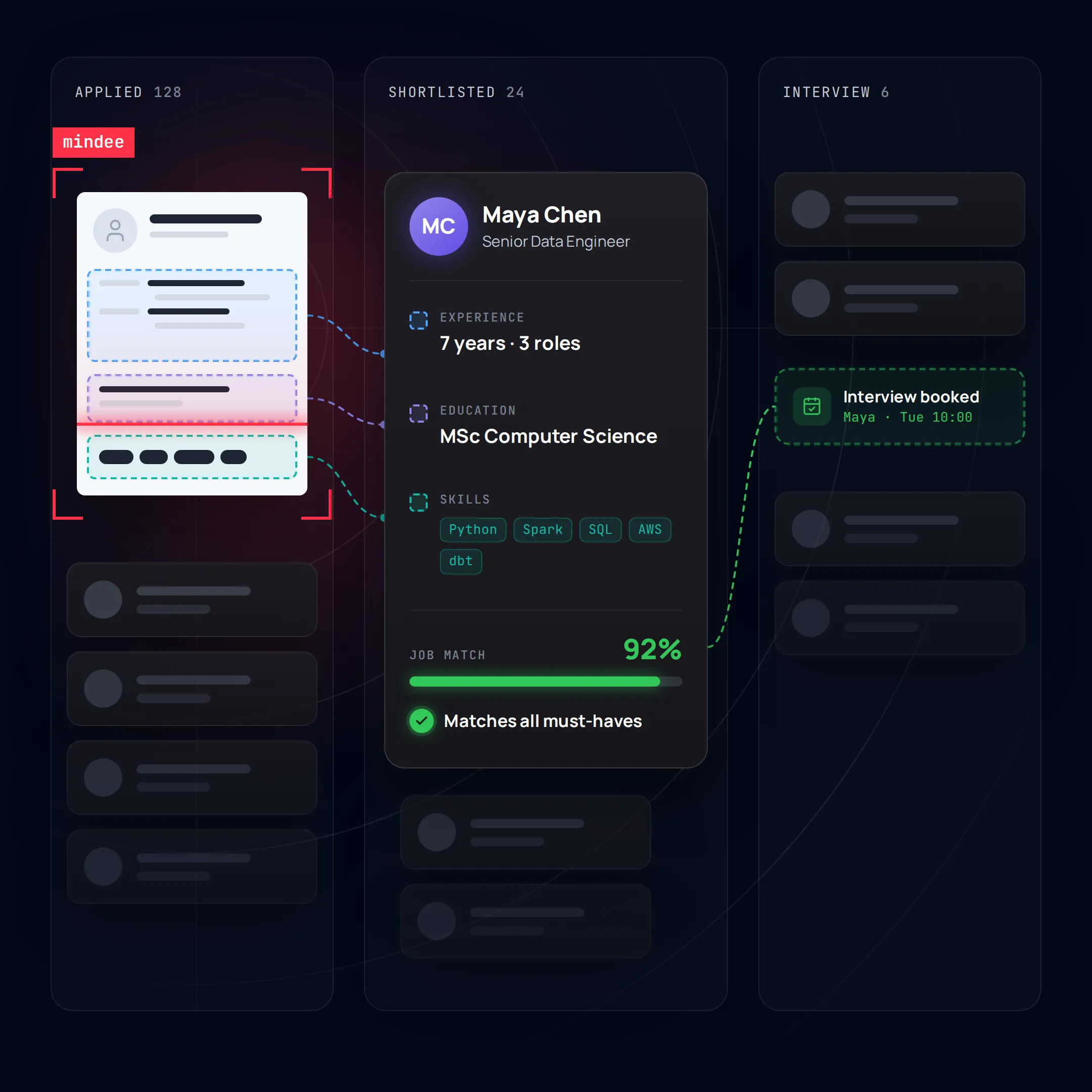
Mindee recognises each document automatically and extracts the fields you need, ready to be checked against each other.

Auto-classify documents

Resume/CV
- Given names
- Surnames
- Phone
- Profession
- Professional experiences
- Education
- Hard skills
- Soft skills
- Languages
- Certificates
- Job applied for
- Nationality
- Address
- Social networks
- Document language

ID card
- Surname
- Given names
- Date of birth
- Document number
- Expiry date
- Nationality
- Sex
- Place of birth
- Issuing country
- Issue date
- Issuing authority
- Address
- Personal number
- MRZ lines
- Photo
- Signature
Passport
- Surname
- Given names
- Date of birth
- Passport number
- Expiry date
- Nationality
- Sex
- Place of birth
- Issuing country
- Issue date
- Passport type
- MRZ line 1
- MRZ line 2
- Photo

Driver license
- Surname
- Given names
- Date of birth
- License number
- Expiry date
- License categories
- Address
- Place of birth
- Sex
- Issuing country / state
- Issue date
- Issuing authority
- Category issue & expiry dates
- Restrictions & codes
- Height
- Eye color
- Photo
- Signature

Bank details
- Account holder name
- IBAN
- BIC / SWIFT
- Bank name
- Bank code
- Branch code
- Account number
- Branch (domiciliation)
- Account holder address
- Bank address

Form
- Form title / type
- Reference number
- Applicant name
- Date of birth
- Address
- Phone
- Policy / account number
- Dates
- Checkbox values
- Free-text answers
- Handwritten text
- Signature presence
- Signature date
From upload to a checked document process, in five steps
The flow behind document-based hiring: classify every upload, parse the resume into a structured profile, extract identity, right-to-work and bank details, check names and expiry dates across documents, then create the candidate in your ATS and flag missing or expiring documents.

Collect
New application or onboarding file with documents

Mindee Classify
Resume, ID, work permit, bank details

Mindee Extract
Name, contact, experience, skills, permit expiry…
VERIFY
{Your business rules to check}
Cross-check

Valid data is automated
Candidate profile created in your ATS

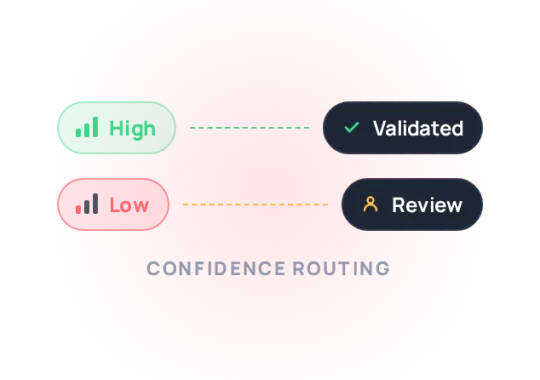
Exceptions to human
Flag for human review
usual tools for this


... and similar ones!
Prototype in minutes, go live with the API
Test the full document flow with a no-code scenario first. When the results convince your team, plug the same models into your platform.
Step 1 : Prototype
Run a proof of concept in Make
No code, no IT ticket. Send files and see Mindee read them.

Application form
Resume, ID card, diploma, work permit

Mindee Classify & Extract
Full name, contact details, experience, work permit expiry

ATS (Teamtailor, Greenhouse...)
One row per candidate. Ready to screen

Slack
Alert on missing or expired documents
Step 2 : Production
Integrate the API into your platform/workflow
Same models, same results connected to your whole system in a few days.
mindee docs
$ pip install mindee

Your data sources

Mindee API
Your core system
What changes for each team
Engineering, finance and product don't look for the same thing in document-based projects. Here is what each of them gets.

3 teams · 1 platform
Technical
· CTOs, Lead devs
A fast, documented API, live in days, with no extra tech debt

Robust infrastructure and features that scale.
Low effort : up-to-date docs and SDKs
No production surprises : continuous monitoring and drift protection
finance & ops
· CEOs, CFOs, COOs
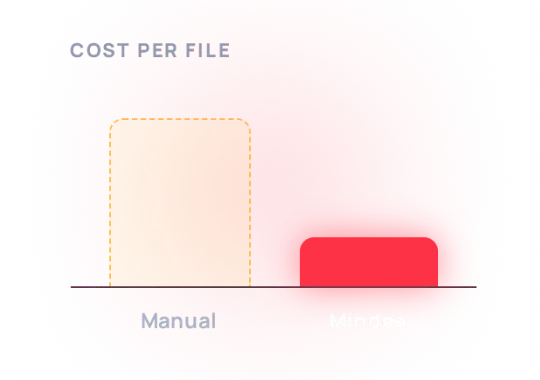
Handle more applications per recruiter and cut the time to start for every hire
Lower costs, stronger compliance, better margin
Change management eased by no-code templates
Data protected : SOC 2 Type II infrastructure, GDPR compliant
product
· CEOs, Product managers
Turn a resume upload into a complete candidate profile, for one-click apply
- Shorter forms and higher completion rates, especially on mobile
- Profiles structured the same way, whatever the resume layout or language
- Data extracted, never scored: recruiters keep control of every decision
Results measured by customers, in average
Teams that process applications with Mindee spend less time on data entry and get back to candidates faster. Here’s what changes once document checks run on autopilot: less manual screening, more applications handled by the same team, and a fast path from first test to production.

-70
%
less time spent on document checks
TIME PER FILE - Before/After Mindee
5
k
documents processed every month
Volume - last 6 months
5 days
from first API call to production

Test - integrate - live

Integrate Mindee into your workflow in minutes with SDKs & no-code tools
Go live in minutes using our verified Zapier & Make.com app with zero coding, or integrate seamlessly via our well-documented REST API built for developers. SDKs available for Python, .NET, Node.JS, Java, Ruby, PHP.
Integrations

Enterprise-grade security
Our API has a SOC 2 Type II certified infrastructure and is GDPR Compliant to ensure your file information remains protected at all times.

EU or US hosting available

GDPR, CCPA Compliant
Security center
FAQ about this use case
Can't find what you're looking for? Our team answers within one business day.
About Mindee
Which documents can candidates submit, and does Mindee recognize them automatically?
Candidates can upload all their documents at once (resume, ID card or passport, work permit or residence permit, diplomas and application forms), as PDFs, scans or phone photos. Mindee automatically identifies each document type, even when several are combined in a single file, and extracts the relevant fields from each: experience and skills from the resume, identity details from the ID, and expiry dates from the work permit. Your team receives one structured candidate file instead of a folder of attachments to open and sort by hand.
Can Mindee help check a candidate’s right to work?
Yes, by automating the checks your team does manually. Right-to-work documents are typically a passport, a national ID card, a residence permit or a work permit, depending on the candidate’s nationality and the country. Mindee extracts the holder’s name, the document number, the document type and the expiry date, then lets you automatically check that the names match the resume and the application, and that the document is valid on the planned start date. Incomplete or expiring files are flagged immediately, instead of being discovered just before an offer. Official right-to-work checks still follow local rules, such as the Home Office procedures in the UK or Form I-9 in the US. Mindee prepares the data for them but doesn’t replace them.
How does Mindee connect to my ATS?
You can connect Mindee without code, through ready-made scenarios in Make, Zapier or n8n. A new application in your form tool or ATS (Typeform, Teamtailor, Greenhouse…) sends the documents to Mindee, the extracted data is written back to the candidate profile, and your team is alerted in Slack when a document is missing or has expired. For a deeper integration, your developers can call the API directly with the SDKs and map each field to your ATS data model. Most teams start with a no-code prototype, then move to the API once the workflow is validated.
Does automated document parsing really improve application completion rates?
Long application forms are one of the main reasons candidates drop out, especially on mobile. With Mindee, candidates upload their resume and documents, and the form fills itself in: name, contact details, experience, education. They only need to check the information instead of typing it again, which makes applying much quicker. Mindee only extracts and structures the data and doesn’t score or rank candidates, so your recruiters keep full control over who moves forward.



Ready to screen candidates without the manual entry ?
Parse resumes and extract IDs, work permits and bank details in real time. Test it on a batch of your own candidate files in minutes.
SOC 2 Type II & RGPD
No credit card required