

Tabla de Contenidos

La instantánea
Agentic post-processing is now available to all Mindee users. Describe a business rule in plain language, such as "check that the line items add up to the total amount", and an AI agent turns it into a check that runs automatically on every document your model processes.
Your extraction no longer stops at the data. It comes back with the answers to the questions your team asks about that data: is it valid, is it consistent, does it meet your rules?
Why it matters
Extracting the right values is only half the job. Before an invoice gets paid or a customer gets onboarded, someone still has to check that the numbers add up, that the IDs are valid and that the document meets your requirements.
Until now, those checks lived in your own code, after the API call. Each new rule meant a developer, a ticket and a deployment. With agentic post-processing, the rules live in your model. Anyone who knows the business logic can write them, in their own words, without touching your integration.
What you can ask for
A rule can cover one field, several fields or the whole document. Each one returns a clear, typed answer: a yes or no, a number, or a list of values.
Validate: is this value correct?
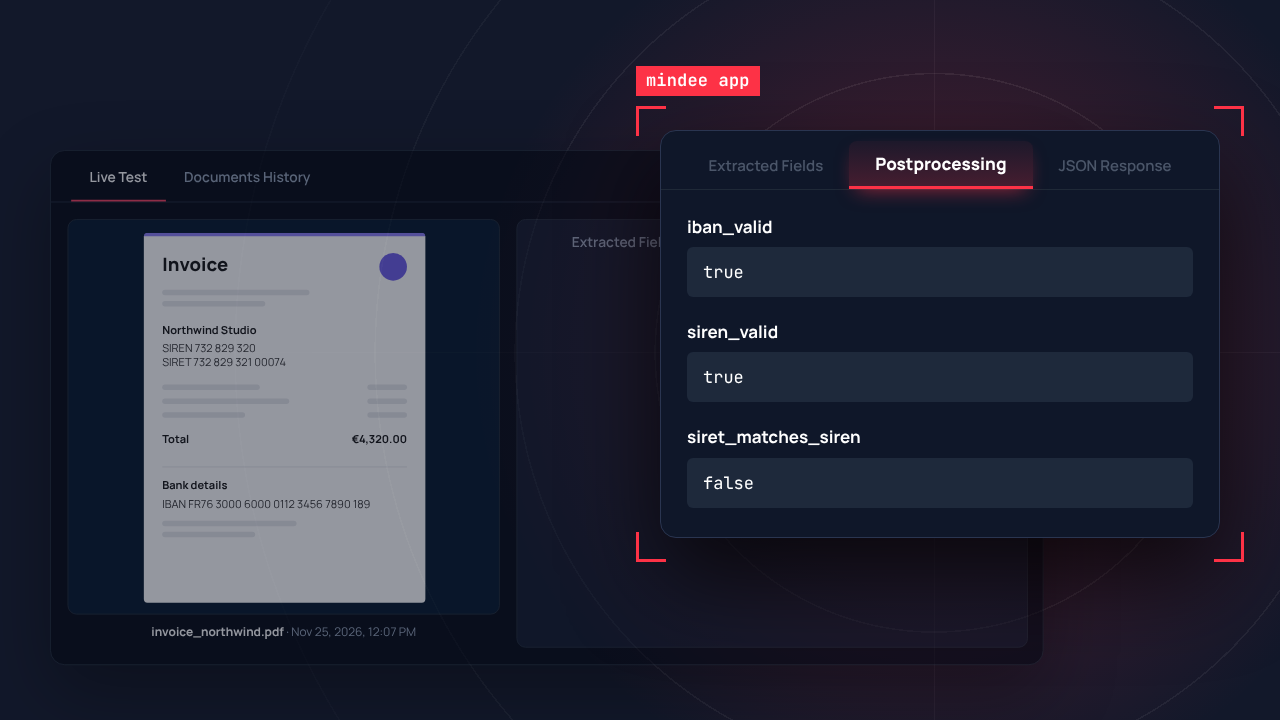
Check that what was extracted is structurally valid. "Validate the MRZ checksum and the IBAN." "Check that the SIREN and SIRET numbers are consistent." The answer is a simple true or false, ready to drive your workflow.
Cross-check: do the fields agree with each other?
Catch inconsistencies that no single field reveals. "Check that the sum of the line items equals the total amount." A mismatch is often the first sign of an extraction issue, or of a document that deserves a closer look.
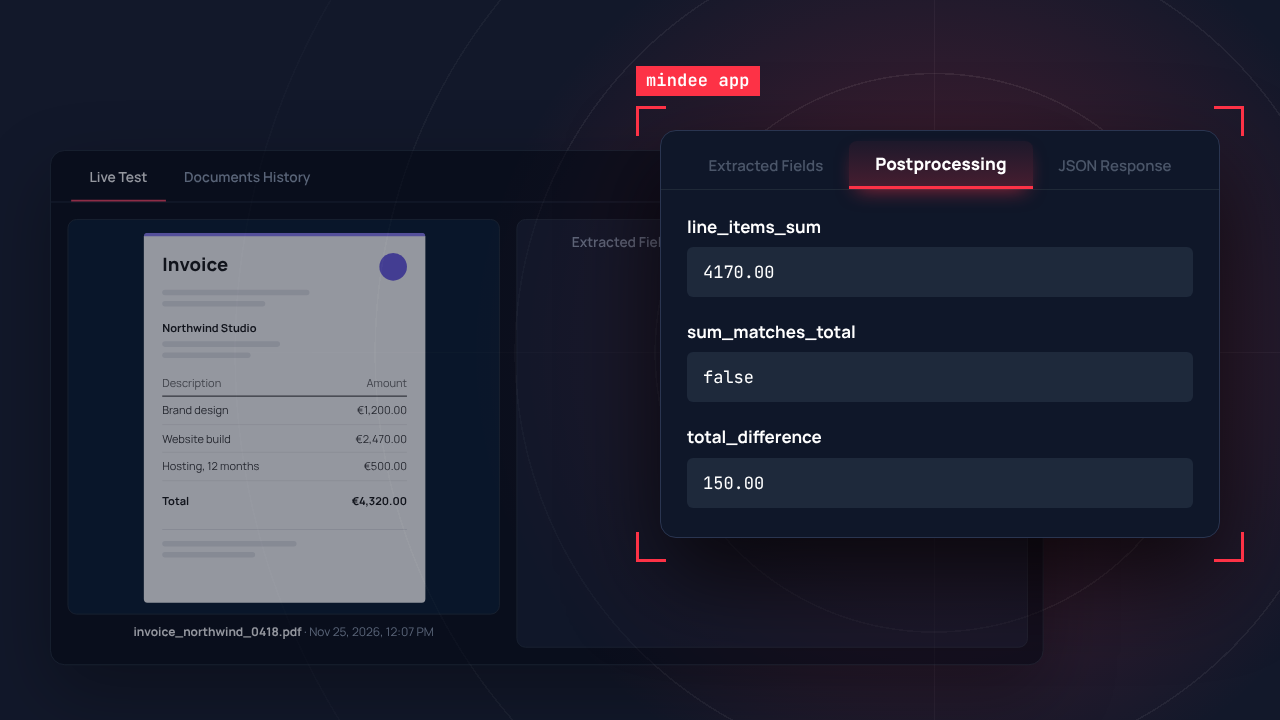
Compute: what does the data add up to?
Get derived values without any extra processing on your side. "Calculate the sum of fields X, Y and Z." The result comes back as a number, alongside the extracted fields.
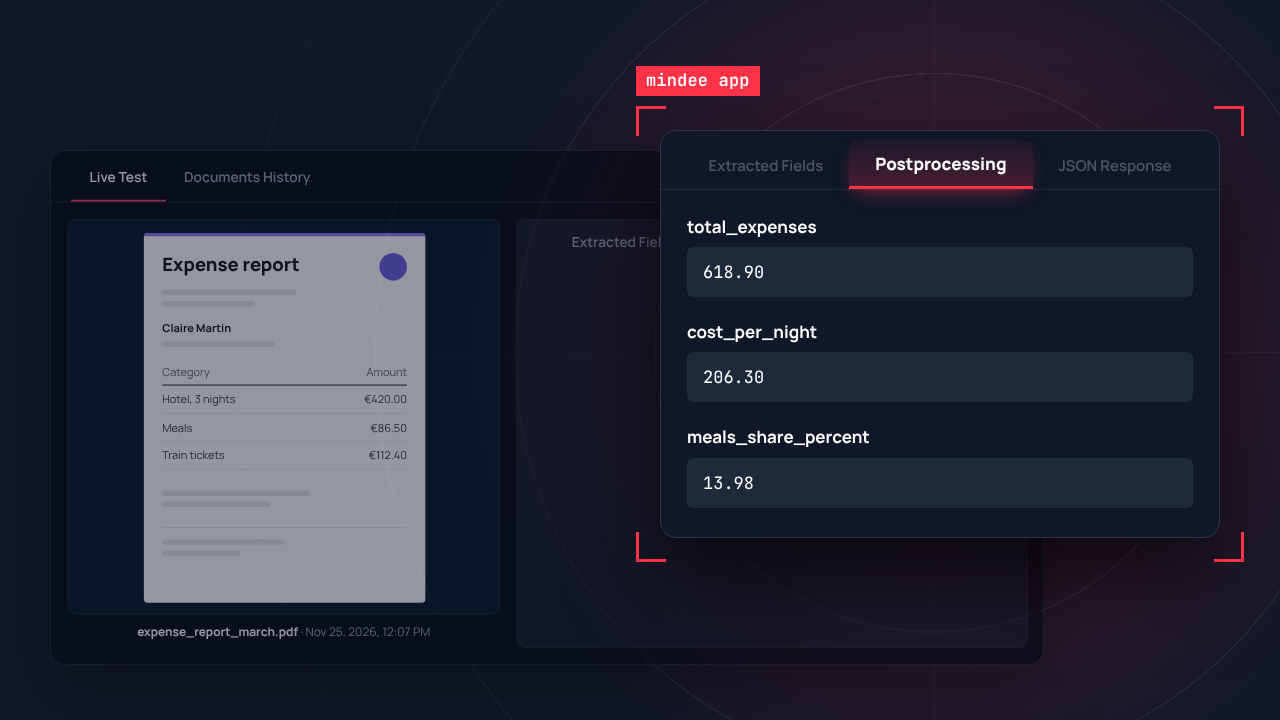
Apply business conditions: does this document meet my criteria?
Turn your compliance and eligibility questions into automatic checks. "Is the passport still valid? Was it issued in Île-de-France?" Each condition becomes an answer your workflow can act on.
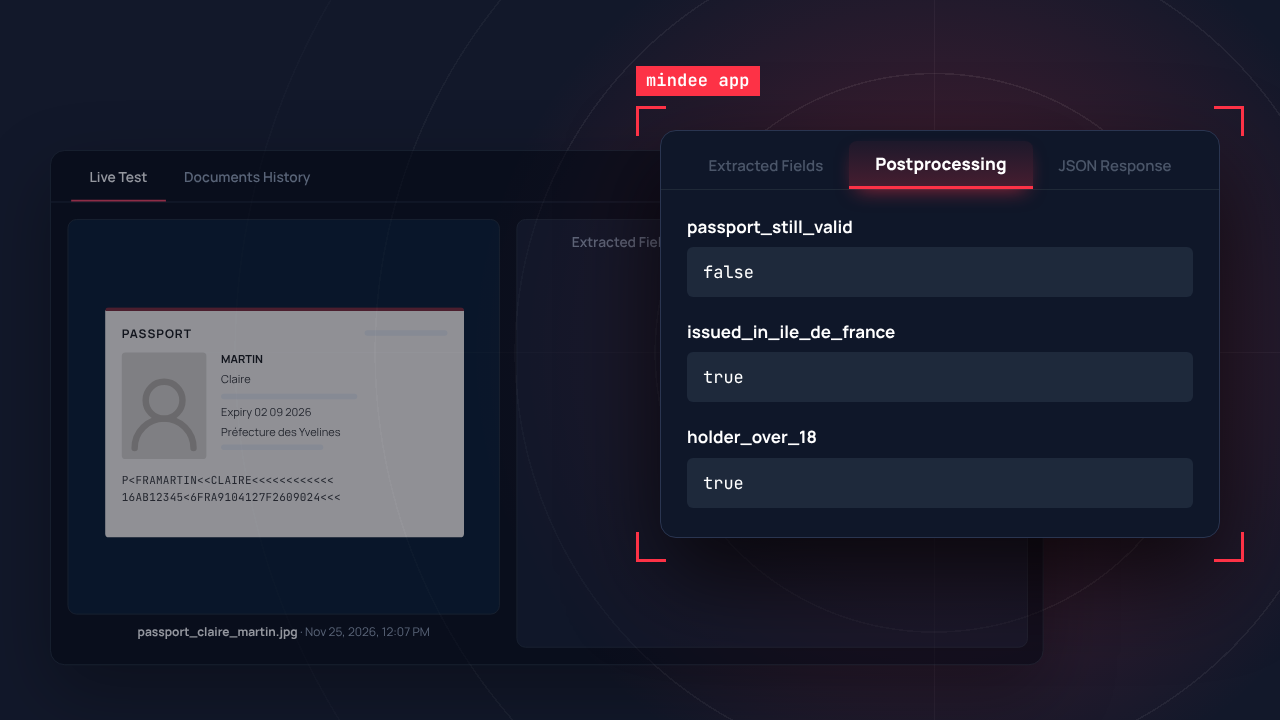
Filter: which items match?
Pull out exactly the subset you need. "List the descriptions of the line items over €30." The answer is a list, ready to display or process.
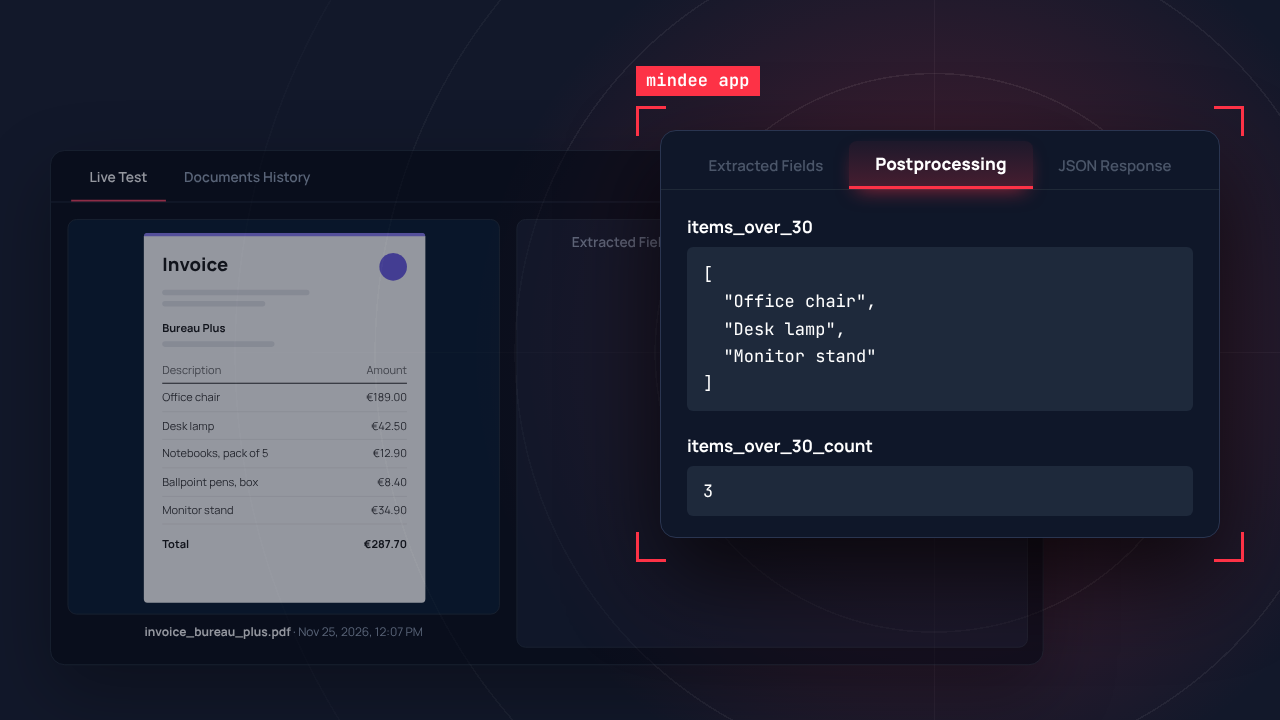
How it works: describe, review, run
Describe. You write the rule the way you would explain it to a colleague. No formulas, no syntax to learn.
Review. An AI agent builds the rule and runs it on your Live Test documents straight away. You see the result on real examples and approve it when it does what you expect, much like annotating documents for RAG. Nothing reaches production until you have validated it.
Run. Once approved, the rule runs on every inference for that model. It behaves the same way every time: the same document always gets the same answer. Rules run in an isolated environment, only see the extracted data, and are built to stay secure and reliable at scale.
The results come back in your API response, in their own section next to the extracted fields. Your existing integration keeps working as before; the new answers are simply there when you are ready to use them.
How to use it
- Open your model and go to "Post processing" tab.
- Click on "Add a rule" and describe your rule in plain language.
- Let the agent build it, then review the output on your Live Test documents.
- Approve the rule once the results look right.
- Call the API as usual: the rule results now come back with every inference.
You can add as many rules as you need, and review each one separately before it goes live.
A few use cases
- Accounts payable. Check that line items add up to the total and that the supplier's SIREN and SIRET match. Invoices that pass go straight to approval; the others are flagged for review.
- Customer onboarding (KYC). Validate the MRZ checksum and confirm the ID document hasn't expired before an account is opened.
- Expense management List every expense line above a given amount, so your finance team only reviews what actually needs a second look.
- Payments. Validate IBANs at extraction time, before a bad number ever reaches your payment system.
Try it yourself
Agentic post-processing is available now to all users, on every one of your models. Pick the check your team runs most often by hand, write it down in a sentence, and let the agent take it from there.
Acerca de