
.webp)

API DEV-First


4.8/5 (30+ reviews)
Mindee API • Built for document data extraction
Mindee helps businesses extract text and structured data from any type of documents using a fast, reliable API.
Test a document

No credit card required
.webp)


.png)
Trusted by top-tier teams worldwide






What you can build with Mindee
OCR & text extraction
Extract text from PDFs, scans, and images using a robust OCR engine designed for real-world documents.
Structured data extraction
Automatically extract structured fields and receive clean JSON ready for your product, workflows, or data pipelines.
Custom document models
Use ready-to-use models for invoices, receipts, IDs, and common business documents — or customize your own.
Confidence scores
Each extracted field includes a confidence score to help you automate decisions and control quality.
Developers and ops first API
Simple REST API, clear documentation, SDKs, no-code tools integration and predictable pricing.







.svg)
Most advanced AI OCR features getting your document extraction to the next level
Our AI-driven OCR API provides high-precision data extraction for all document formats, enabling businesses to automate workflows with speed and total reliability.
Accelerate processing by automatically breaking multi-page uploads into separate documents. Our solution detects document boundaries to split batches into distinct records ready for extraction.
Automate your workflow by sorting incoming documents instantly. Mindee OCR API distinguishes between document types, routing each file to its specific category for streamlined data management.
Digitize multiple documents scanned on a single page with automated detection. Mindee OCR API isolates and crops each item into a standalone file, ensuring every record is processed individually.
More than just an API. Refine, test and customize.
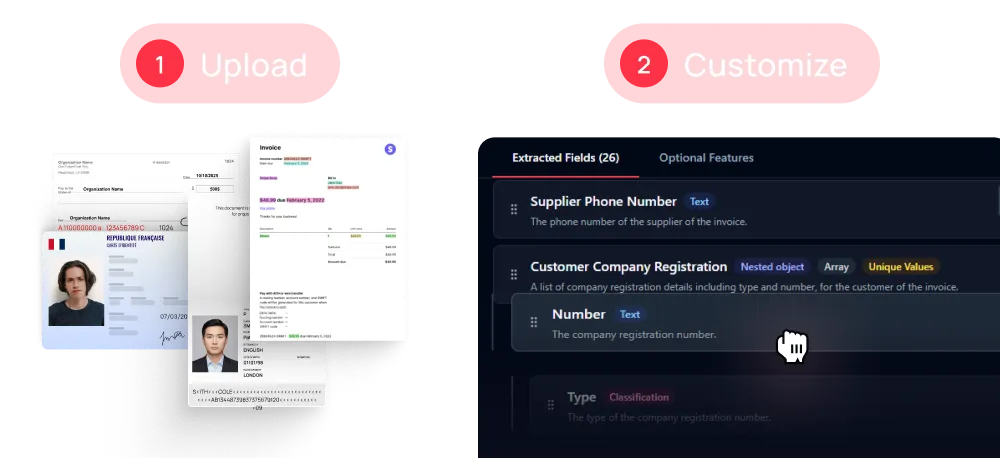
Custom your model from scratch or start with a template among 30+ on Mindee interface
Build customizable extraction models with interactive data schemas.

Multi-language support
Parse your document in every language.

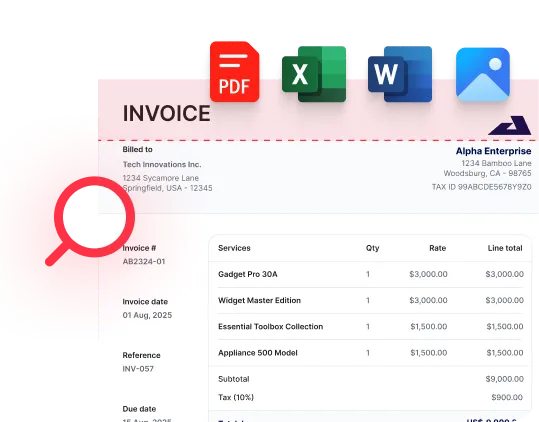
Upload docs in any formats
Add .pdf, .jpg, .png, .docx, .xlsx, ... and more. No time spent to convert.
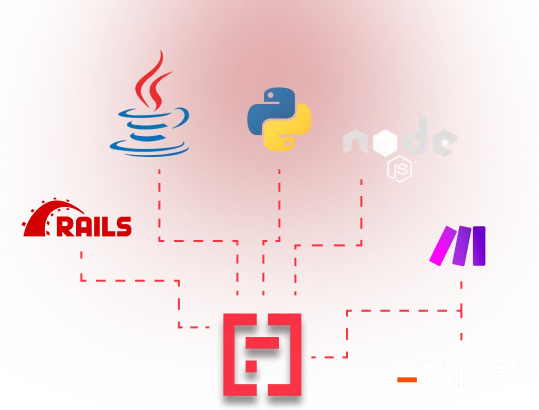
Integrate Mindee into your workflow in minutes
SDKs and low-code tools supported.
Your data is protected

EU hosting available

GDPR, CCPA Compliant
Exclusive features about Mindee for power‑users
.webp)

Feature
Confidence scores
Keep an eye on AI work with labels

Feature
Polygons
Highlight your variables for better understanding, before & after extraction

Feature
RAG
Build your own documents library to enrich your model and manage edgecases

FAQ about Mindee's OCR API
How much technical knowledge experience do I need to create a model?

Mindee is designed with a "developer-first" philosophy, offering an intuitive interface that replaces complex manual programming with visual training tools. No training is required before using a model, while expecting high-accuracy for any document types.
This democratization of AI allows product teams to deploy custom classification skills in a fraction of the time it would take to build a traditional OCR pipeline from scratch on GitHub.
What are some real-world examples of automated document data extraction?
When it comes to automated document data extraction, Here are the most impactful real-world examples of how automated data extraction is used to eliminate manual entry:
In the accounts payable world, data extraction is the engine behind "touchless invoicing."When a vendor sends an invoice, the API doesn't just read the text; it extracts specific fields like the invoice number, tax ID, net amount, and total. Most importantly, it parses complex line-item tables, capturing every individual product, quantity, and unit price.
This allows the system to process payments automatically while ensuring that credit notes and statements are recorded with 100% accuracy.
It is a core component of two-way matching and reconciliation for supply chain management. By extracting the PO number from a purchase order and the SKU list from a corresponding delivery note, businesses can automatically verify that the items received match the items ordered. This automated extraction ensures that auditors have a clean, digital trail of exactly what was delivered versus what was requested, without a human ever having to cross-reference paper sheets.
For customer onboarding, automated extraction turns a slow, manual verification process into an instant check. When a user uploads their ID or a utility bill, the API extracts the full name, date of birth, and document expiration date. It also pulls the address and account number from utility bills to provide instant proof of residence. This allows companies to verify a customer’s identity in seconds, significantly reducing drop-off rates during the sign-up flow.
You can check more real-life examples of how companies leverage this technology by visiting customer stories.
Can I extract complex tables from scanned PDFs with Mindee?
Yes,with Mindee,you can test this feature by signing up for free here and uploading a sample file. Line items and complex tables recognition will be fully supported from PDFs or any image formats.
This is where generalist APIs often fail. Standard OCR might give you a "word soup."
For complex tables (multi-line rows, merged cells, or nested headers), you need a vision-aware pipeline.
Pro tip: Generalist LLMs often hallucinate table structures. For "messy" financial documents, look for APIs that use specific vision models rather than just generic text-to-text models
How do I extract 10MB+ PDFs or long documents?
With Mindee, you can handle up to 100MB size per file and up to 200 pages.
Large files (e.g., 100-page mortgage) should never be processed in a "request-response" (synchronous) loop. We can talk about two API methods :
- Asynchronous processing (Polling) : You submit the file, receive a job_id, and the API processes it in the background.
- Webhooks : Once complete, the API "pings" your server with the structured JSON. This is the gold standard for any Automated data extraction API setup for every language (Python, Node JS, Java, etc.)
How do I guarantee valid JSON structured format?
Getting JSON is step one; getting valid JSON is step two. Most modern APIs, like Mindee allows you to define a data schema. To ensure your database doesn't crash:
- Use Pydantic (Python) or Zod (TypeScript) to validate the API output.
- If the extraction doesn't meet the schema (e.g., a missing mandatory invoice_id), flag it for human review.
Is integration complex, or does it require training time?
No. Unlike traditional "On-Premise" solutions that take months to deploy, Mindee’s API-first approach allows you to go live in minutes. The complexity of document processing usually depends on whether you choose to build an infrastructure or consume an intelligent service.
Mindee simplifies the experience by two ways :
- Zero-training time : Mindee models are pre-trained on millions of data points. Whether it’s an invoice, a receipt, or an ID card, the API already "knows" what it’s looking at. You don't need a Data Science team; you just need an API key.
- Plug-and-play : Mindee is a plug-and-play REST API. With our dedicated SDKs (Python, Java, PHP, and more), a developer can integrate full document automation into your existing software with just a few lines of code.
Can I integrate Mindee API with a business tool (ERP, CRM, etc.)?
Mindee’s API is RESTful and returns data in JSON format. XML is not returned.
To connect Mindee to your business tool you can use Mindee’s REST + JSON API via an ERP/CRM connector, HTTP steps, or webhooks. Most ERP/CRM tools integrate either through HTTP actions/nodes (low-code) or an automation platform.
If your ERP/CRM supports inbound webhooks, you can also use Mindee webhooks to receive results on your server endpoint (recommended for heavy production usage).
How does Mindee's API pricing work?
Mindee’s pricing is structured to support businesses at every stage, from early testing to high-scale production. We offer three main subscription plans—Starter, Pro, and Enterprise—each with a fixed monthly credit volume and access to different features.
- Starter and Pro plans include a monthly credits allowance (ranging from 500 to 10,000 credits), with additional credits charged at a per-credit starting from $0.05.
- Enterprise plans are fully customizable and designed for organizations with specific volume, SLA, or integration needs.
Advanced features such as RAG capabilities, automation tools, and premium support are included progressively across the plans.
This model allows you to choose the plan that best fits your current needs while retaining the flexibility to scale as your usage grows.
Is it cheaper to build or buy a document processing API?
You can calculate your specific breakeven point, but in short :
BUY if :
- You are processing standard documents (Invoices, IDs, Receipts, Tax forms)
- You need speed-to-market and high accuracy immediately
- Document processing is a utility/commodity for your business, not the product
- You want predictable monthly spending without managing GPU hardware
BUILD if :
- Your documents are highly proprietary (e.g., secret blueprints, unique internal forms)
- You have strict data sovereignty requirements (Data cannot leave your private cloud)
- You want to own the Intellectual Property for a core business differentiator
- You process >30M pages/year, making the "API tax" higher than a 5-person engineering team
Is Mindee's OCR API free to use?
We provide a 14 days free trial so you can fully test any of our OCR models — no credit card required. After this, we offer different pricing tiers depending of the volume of pages processed and the features you might need. See the pricing page for more information.
