
.webp)

API DEV-First


4.8/5 (30+ reviews)
AI-powered OCR API for instant text & data extraction
Turn any scanned documents into structured JSON in milliseconds — Start your OCR integration in minutes.
Test a document

No credit card required
.webp)
Trusted by top-tier teams worldwide






Everything you need from a production-ready OCR API
High-accuracy OCR & text extraction
Extract text from PDFs, scans, and images with a robust OCR engine designed for real-world documents — not demos.
Structured data extraction
Go beyond raw text. Automatically extract structured fields and receive clean, usable JSON ready for your systems.
Multi-document & layout-aware OCR
Handle any type of documents and complex layouts with or without templates. Customise your data schema.
Confidence scores & reliability signals
Each extracted field comes with a confidence score so you can automate decisions, not guess.
Developer-first OCR API
Simple REST API, clear documentation, SDKs, no -code tools and predictable pricing. Integrate OCR in minutes, not weeks.







.svg)
Most advanced AI OCR features getting your document extraction to the next level
Our AI-driven OCR API provides high-precision data extraction for all document formats, enabling businesses to automate workflows with speed and total reliability.
Accelerate processing by automatically breaking multi-page uploads into separate documents. Our solution detects document boundaries to split batches into distinct records ready for extraction.
Automate your workflow by sorting incoming documents instantly. Mindee OCR API distinguishes between document types, routing each file to its specific category for streamlined data management.
Digitize multiple documents scanned on a single page with automated detection. Mindee OCR API isolates and crops each item into a standalone file, ensuring every record is processed individually.
More than just an API. Refine, test and customize.
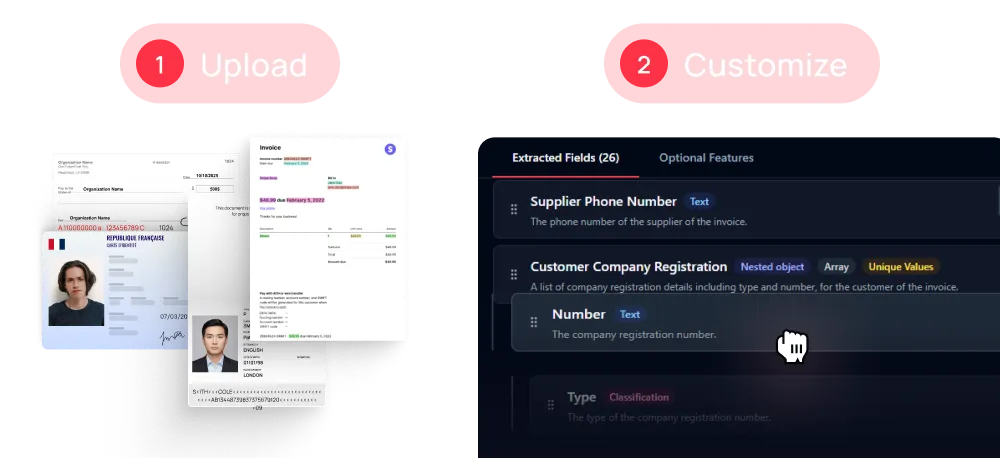
Custom your model from scratch or start with a template among 30+ on Mindee interface
Build customizable extraction models with interactive data schemas.

Multi-language support
Parse your document in every language.

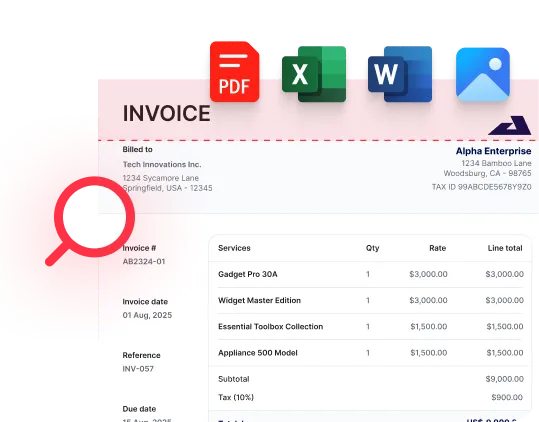
Upload docs in any formats
Add .pdf, .jpg, .png, .docx, .xlsx, ... and more. No time spent to convert.
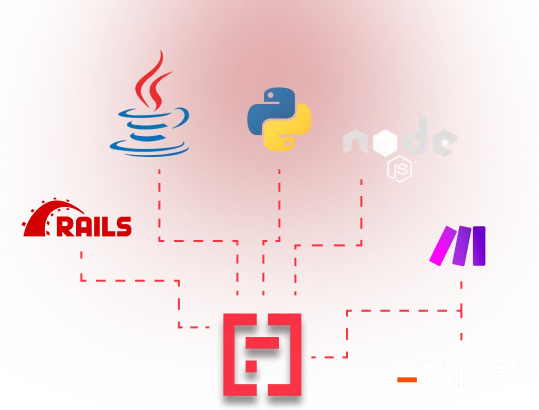
Integrate Mindee into your workflow in minutes
SDKs and low-code tools supported.
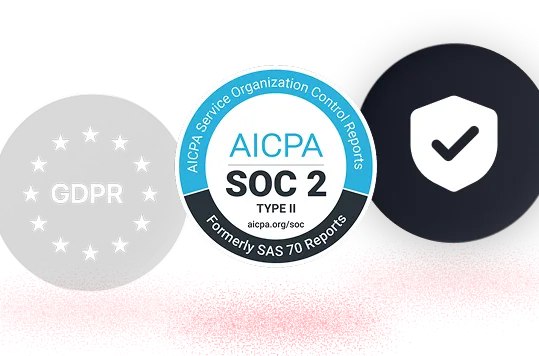
Your data is protected

EU hosting available

GDPR, CCPA Compliant
Exclusive features about Mindee for power‑users
.webp)

Feature
Confidence scores
Keep an eye on AI work with labels

Feature
Polygons
Highlight your variables for better understanding, before & after extraction

Feature
RAG
Build your own documents library to enrich your model and manage edgecases

FAQ about Mindee's OCR API
Is Mindee's OCR API free to use?

We provide a 14 days free trial so you can fully test any of our OCR models — no credit card required. After this, we offer different pricing tiers depending of the volume of pages processed and the features you might need. See the pricing page for more information.
Is it possible to batch convert PDFs ?
Yes, it is absolutely possible to batch process and convert PDFs with Mindee. The best approach depends on how your "batch" of images or documents is organized.
Here is how you can handle batch processing based on Mindee's architecture:
1. Multiple separate image files (e.g., a folder of JPGs or PNGs)
By default, Mindee's standard API endpoint processes one file per HTTP request. To batch convert a large folder of separate documents, you simply handle the orchestration on your client side:
- Concurrent API Calls: You can write a script (using Python, Node.js, etc.) to loop through your files and send multiple API requests concurrently.
- Asynchronous Endpoints: For enterprise-scale volumes, Mindee provides an asynchronous API (
/predict_async). Instead of holding the connection open, you push your batch of PDFs into a processing queue and then use webhooks (or polling) to retrieve the structured JSON data as each file finishes processing.
2. Multiple documents clustered in a single file
If your "batch" is actually a single large file containing multiple different documents (like a 50-page PDF of mixed mail, or a single photograph containing four different receipts laid out on a table), Mindee has native AI tools specifically built for this:
- Auto-Crop: If you upload a single document that contains several distinct items, Mindee's Auto-crop feature can automatically detect, isolate, and crop each item into clean, individual file ready for data extraction.
- Auto-Split: If you upload a large multi-page batch scan, the API's intelligent boundary detection detects where each individual document begins and ends, automatically slicing the massive file into discrete, logical records.
- Auto-Classify: Once the batch is separated, the routing engine acts as a digital architect to instantly categorize each document by type (e.g., separating invoices from contracts) and sends them to the correct extraction pipeline.
By combining your own asynchronous loops for individual files with Mindee's built-in Crop, Split, and Classify features for grouped files, you can build a highly efficient, automated batch-processing pipeline!
What file formats are supported for JSON conversion ?
The supported document formats are:
- PDF (
application/pdf) – While technically a document format rather than an image, it is natively supported for all extraction models. - JPEG / JPG (
image/jpeg) - PNG (
image/png) – Must be non-animated. - WebP (
image/webp) - TIFF / TIF (
image/tiff) – Both single-page and multi-page TIFFs are supported and processed similarly to PDFs. - HEIC (
image/heic) – Apple's High-Efficiency Image Container format.
📌 Important technical limitations to keep in mind:
To ensure the OCR pipeline runs smoothly and successfully returns your JSON, make sure your files adhere to the following constraints:
- Maximum file size: 100 MB per file.
- Maximum page count: Up to 200 pages per document.
- File state: The files cannot be encrypted, and PDFs must not be password-protected.
What about data extraction from handwriting or multilingual documents ?
Mindee supports every alphabets, every languages, every handwritten human-readable documents.
Most top-tier APIs now support handwriting and 100+ languages. However, expect a 15-20% drop in confidence for cursive handwriting compared to printed text. For niche languages, verify if the OCR engine supports the specific character set (e.g., Cyrillic or Arabic).
How accurate are complex tables & line items across different layout ?
Mindee could be the best fit for you if you need a reliable API, to extract line items variations with high-level accuracy.
Accuracy varies significantly based on the layout. While "Key-Value Pairs" (like Total Amount or Date) are easy, Line Items (Description, Quantity, Unit Price) are the hardest to parse because every vendor uses a different table style.
Benchmark Tip: Don't trust the marketing "99% accuracy" claim. Test the same set of 50 "messy" invoices across vendors to see who misses line items or confuses the "Quantity" with the "Tax Rate."
How do I guarantee valid JSON structured format ?
Getting JSON is step one; getting valid JSON is step two. Most modern APIs, like Mindee allows you to define a data schema. To ensure your database doesn't crash:
- Use Pydantic (Python) or Zod (TypeScript) to validate the API output.
- If the extraction doesn't meet the schema (e.g., a missing mandatory invoice_id), flag it for human review.
